Knowly Actions
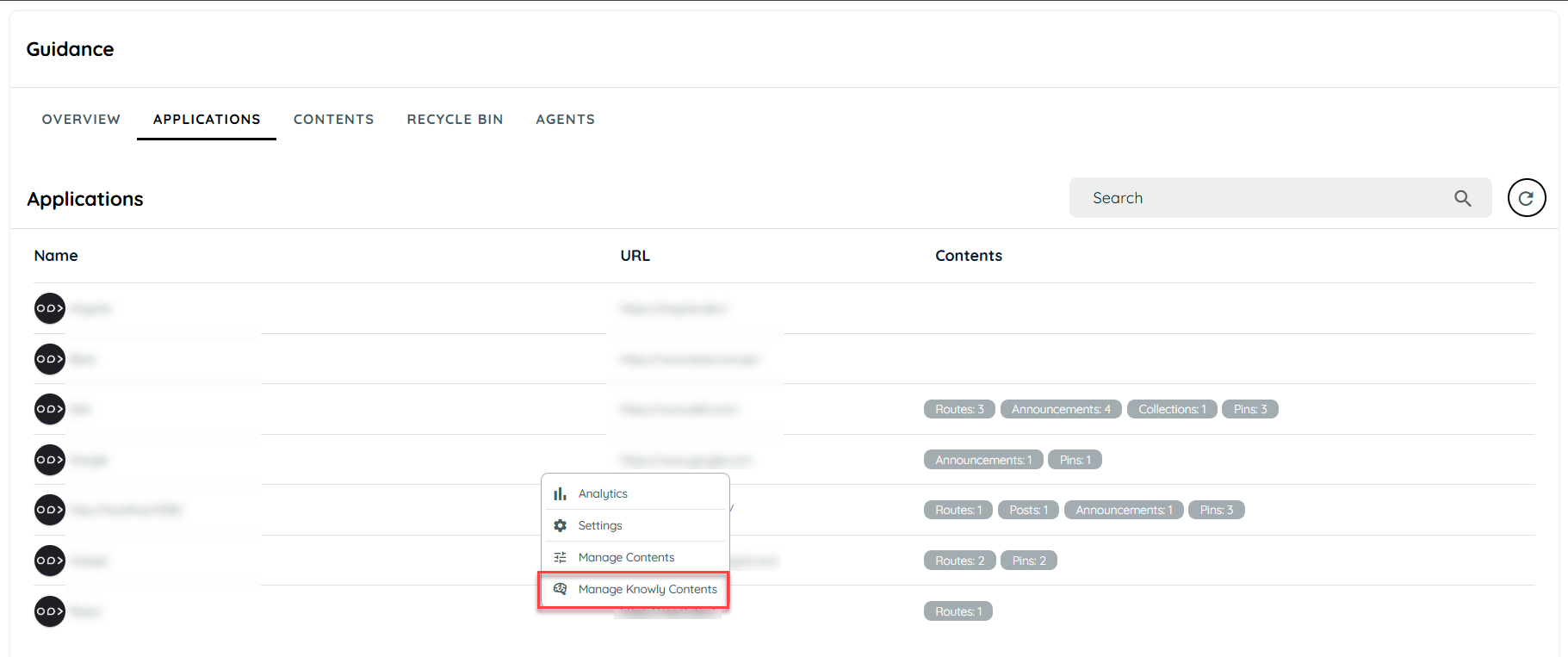
Knowly actions are the behaviour of how any agent reacts when an agent is triggered regarding any process being done by the user. The knowly action can be accessed by the application listing in the guidance tab. Users can create the knowly actions from the manage knowly contents. All knowly contents are available in the manage knowly contents page.
Create New Knowly Action
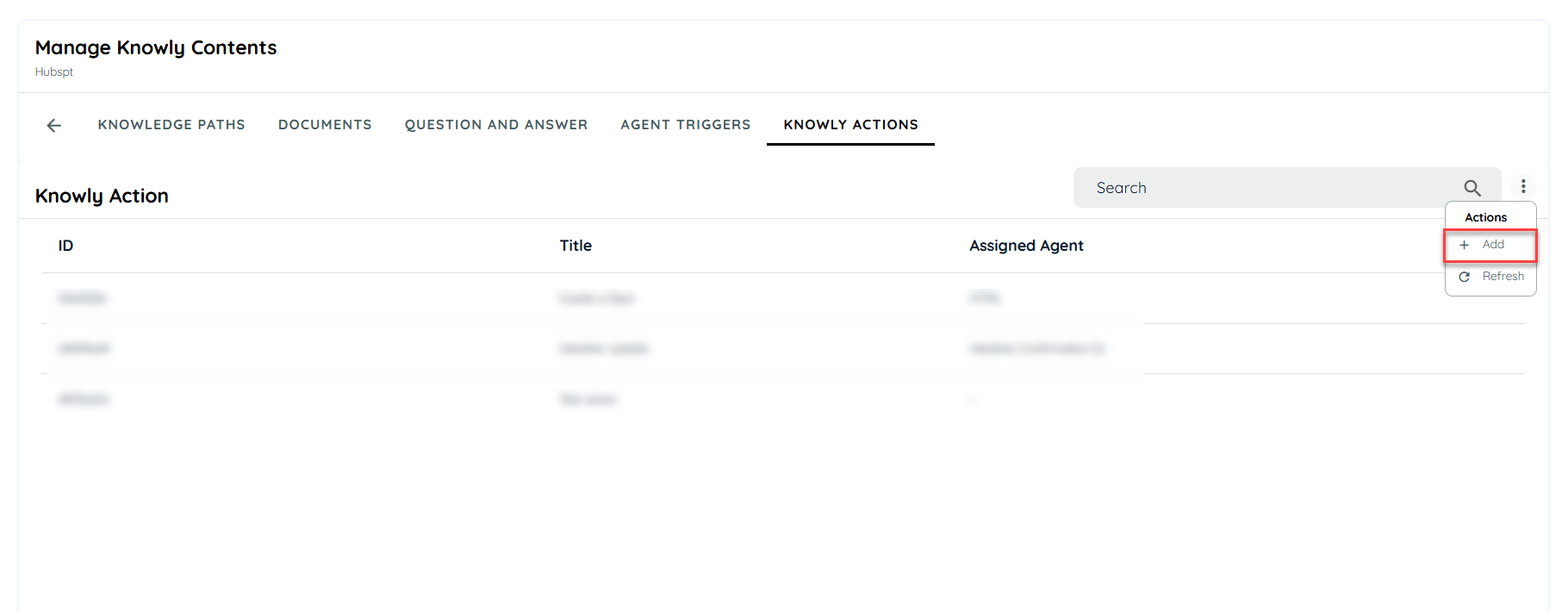
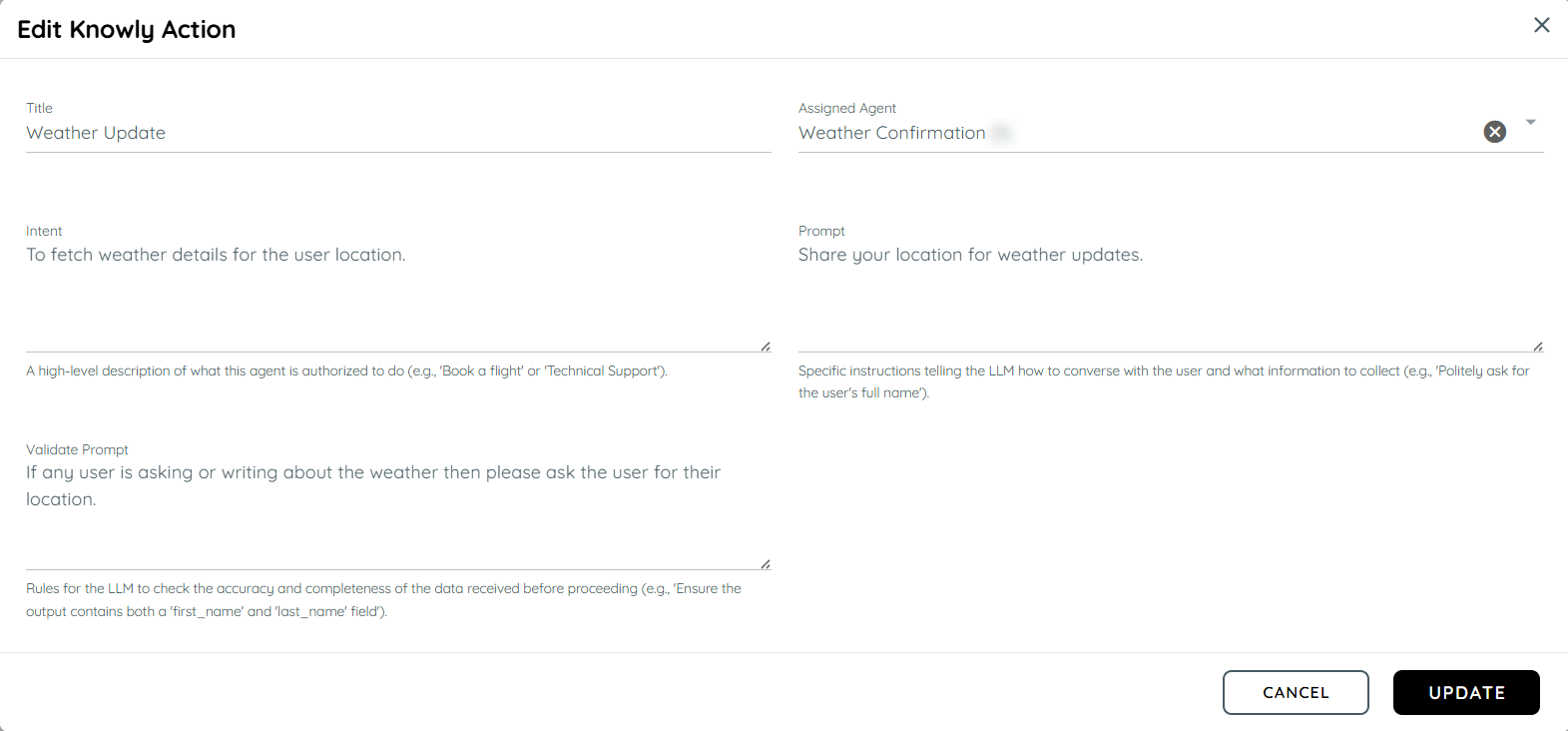
In order to create any knowly action, user can click on the add button and the add new knowly action dialogue will open. User can fill out the details to complete the action flow.
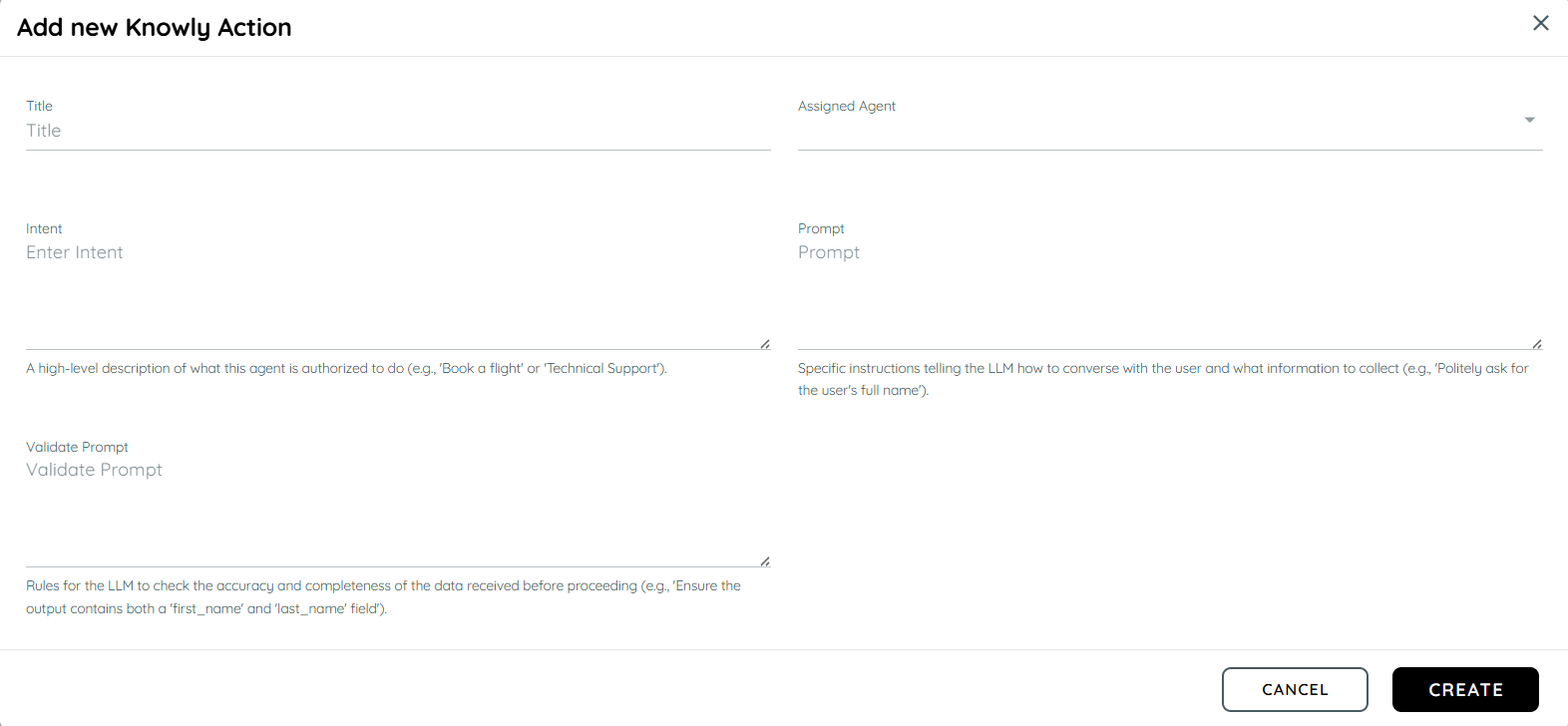
Title: Enter the title of the Knowly action.
Agent: Select the agent assiged to the action to be carried out.
Intent: Explain the intent of what the action is authorized to do while agent is being processed.
Prompt: Instruct the action of what to do while interacting with the user.
Validate Prompt: Validate the prompt if it is being accurately executed.
Knowly Action Flow on Portal
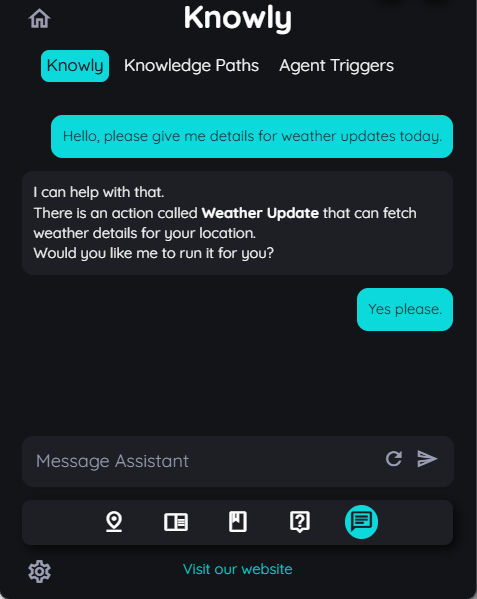
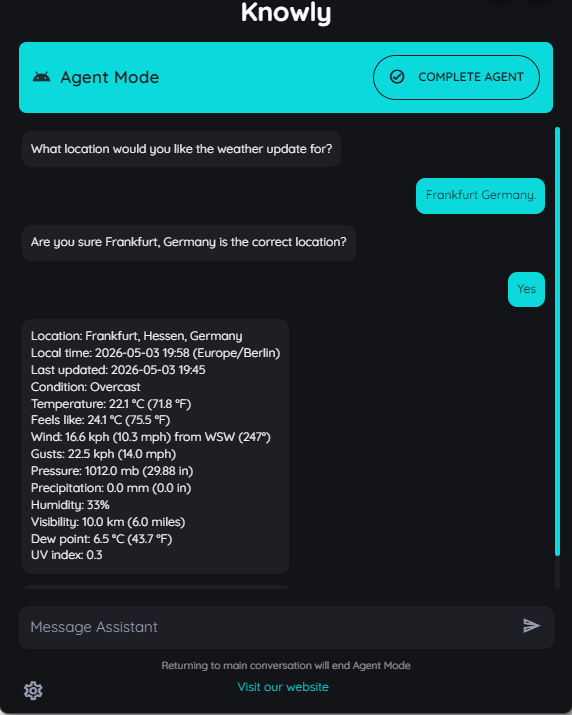
Once an action is created on portal with an assigned agent, it will interact with the user in the knowly chat in the intent it has been designed to. Below is an example of an agent fetching weather details for certain regions and the knowly action is directed to ask for the users locations along with confirmation.
Knowly Action Flow on Avatar
The knowly action behaviour is related to how the user corresponds to the knowly chat and what intent it is being questioned. Once the agent is triggered for the related question then the knowly action will behave accordingly to the question asked and bring details to the user for what the request has been made for.
Updated 5 months ago