Knowly
The knowly feature is available in the guidance module. This feature can be managed from the application listing tab in Guidance. User can open the settings from the context menu of the desired application. On a fresh application the knowly feature will be enabled from default.
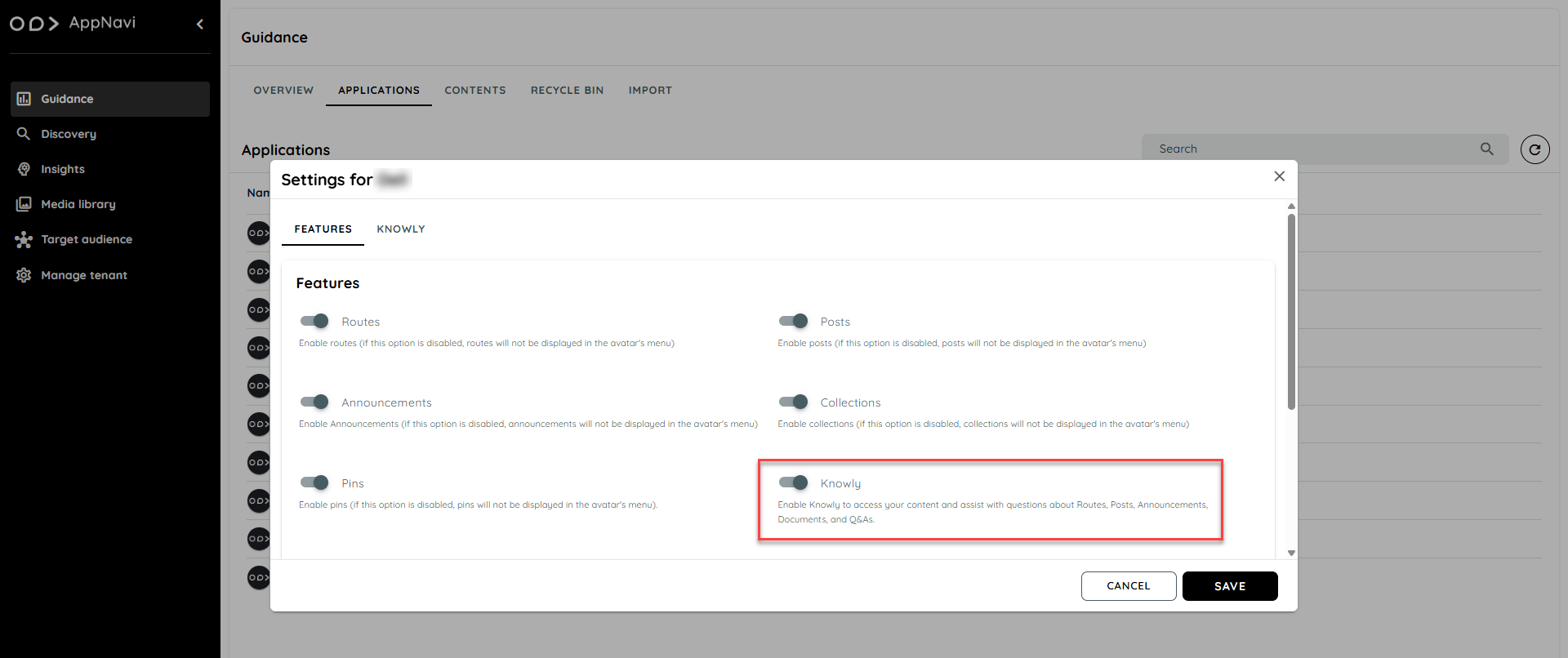
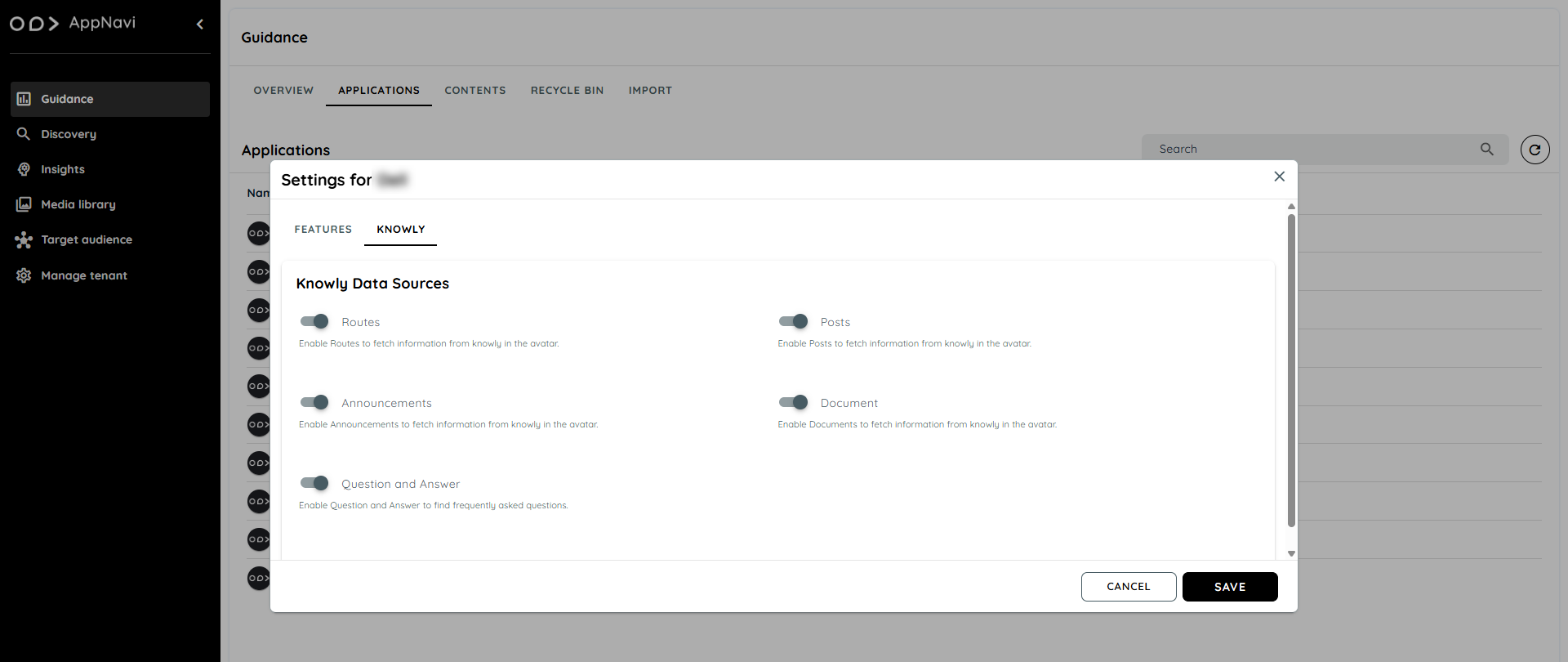
The knowly features include contents like Routes, Posts, Announcement, Documents and Question & Answers. User can use any of these features or exclude them by disabling the toggles.
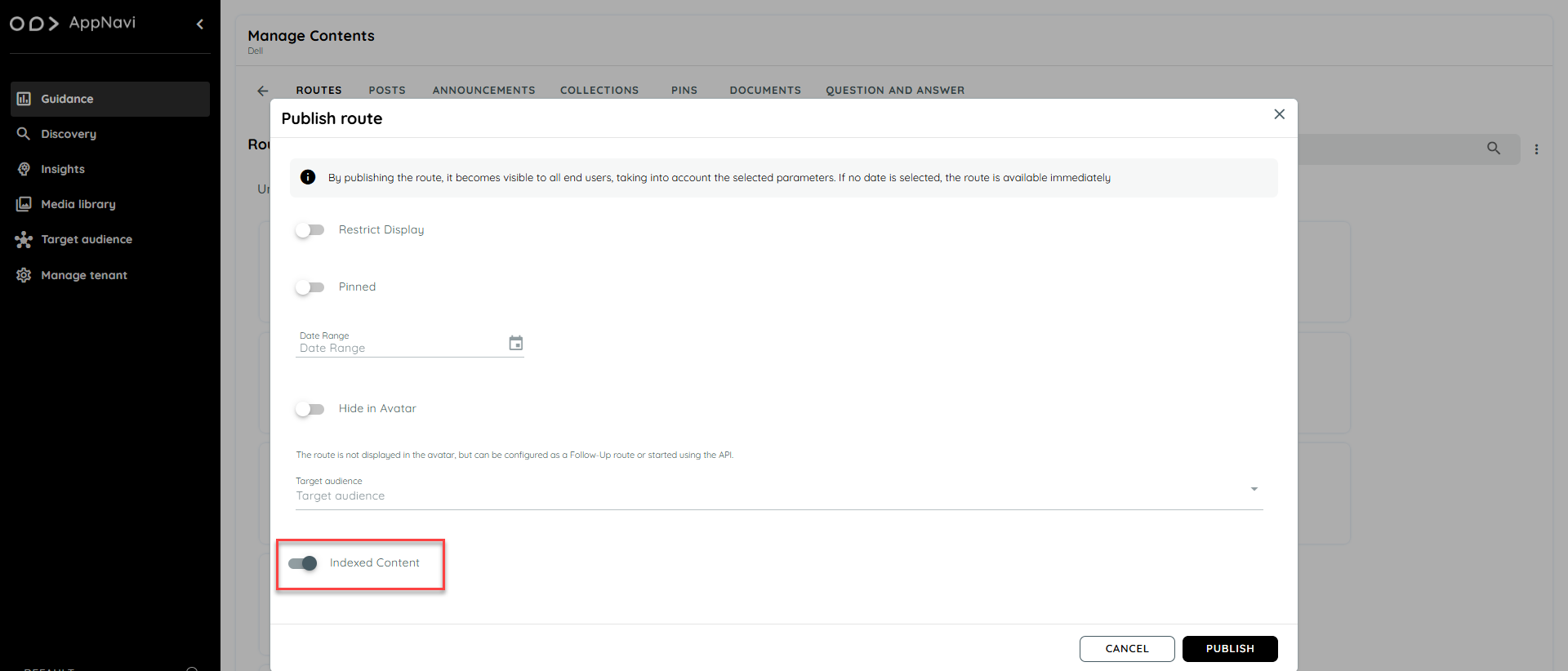
On publishing any content like Routes, Posts and Announcements, a toggle for indexed content will be marked as enabled when the content will be published. On disabling this toggle the published content will not be marked as indexed content and will not be available in the knowly feature on the Avatar chat.
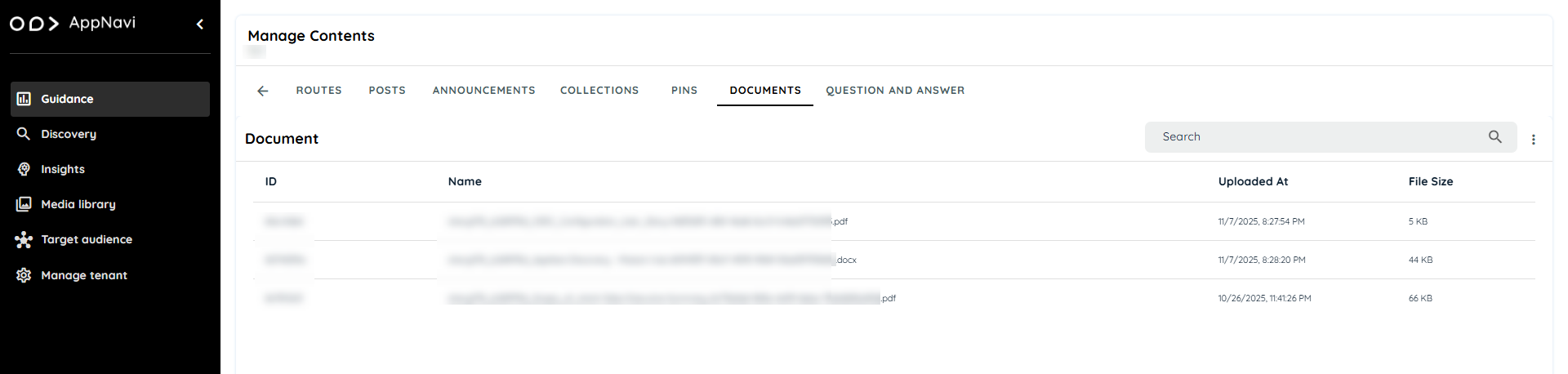
Document is one of the newly introduced content type for the knowly feature. Users can upload a maximum of 3 documents regarding any topic of their interest and it will automatically be an indexed content once uploaded.
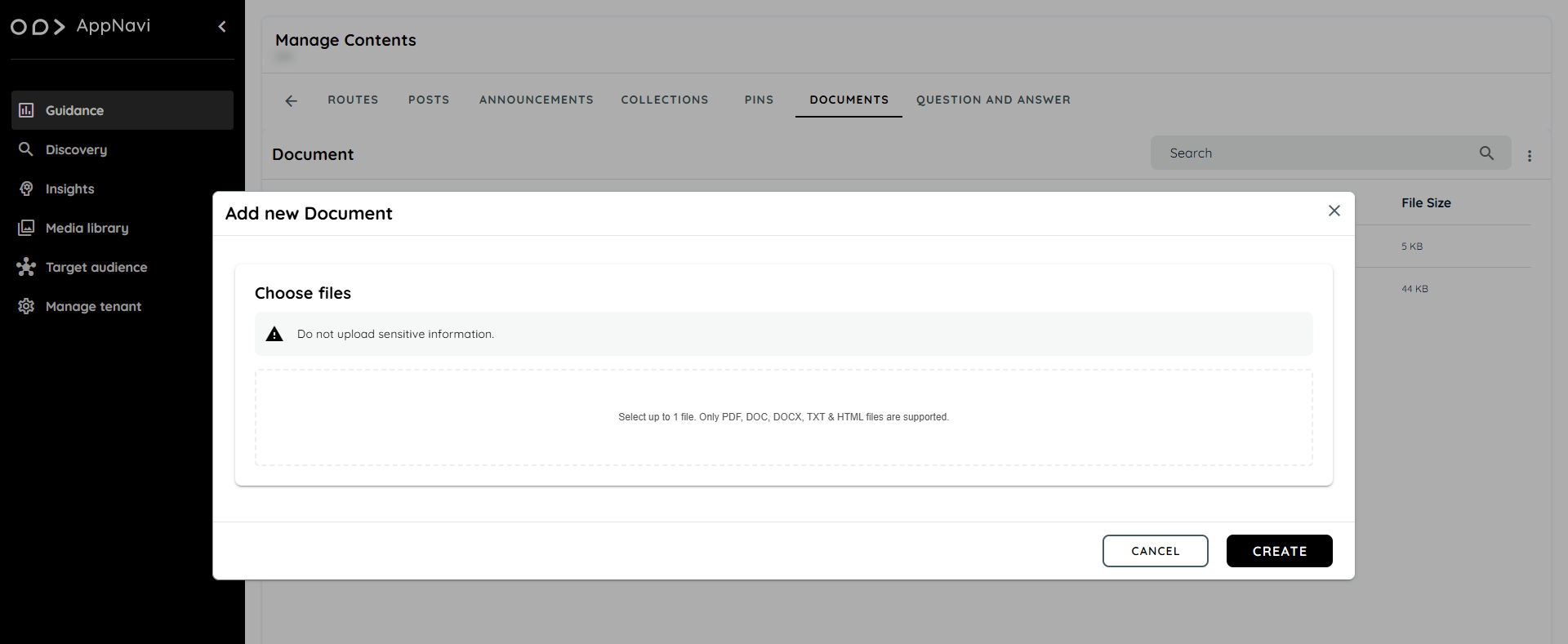
Users can add only one file at a time and only PDF, DOC, DOCX, TXT and HTML files are supported.
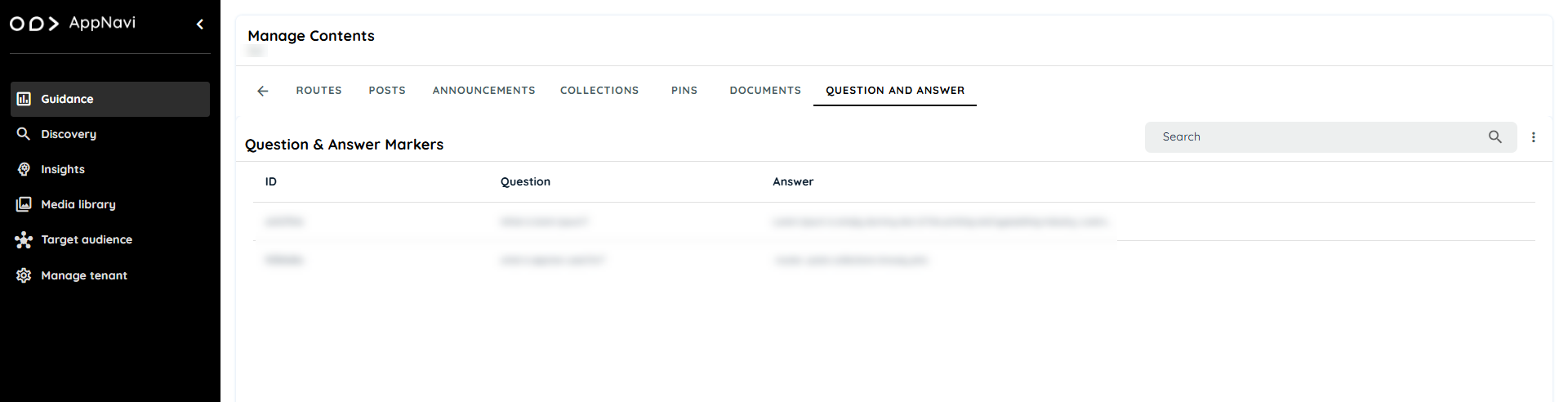
Question & Answer is one of the newly introduced content type for the knowly feature. Users can add multiple Questions and Answers on each application. On adding any Q&A, users can then use these questions to fetch answers from the Knowly chat feature on the avatar.
Knowly Chat
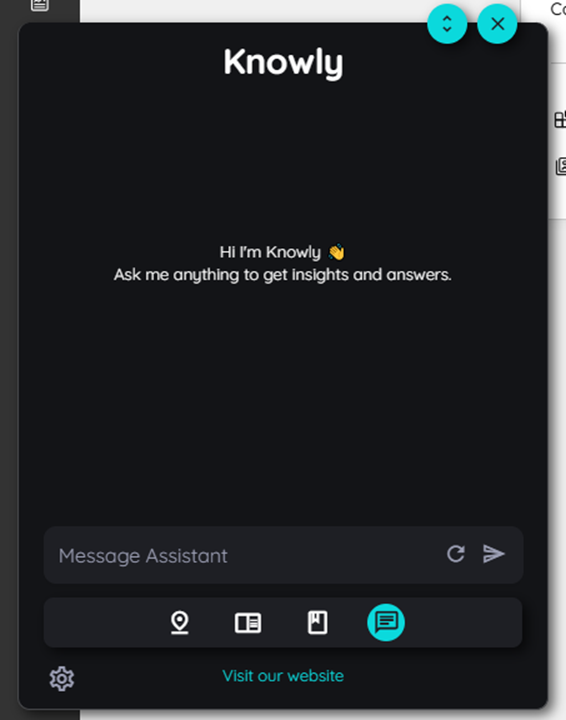
The knowly chat feature is available on the Avatar. Users can ask any question regarding the Routes, Posts, Announcements, Documents and Q&A. If the contents which users have asked about have been indexed contents then the knowly chat will return answers related to those contents according to an AI assistant.
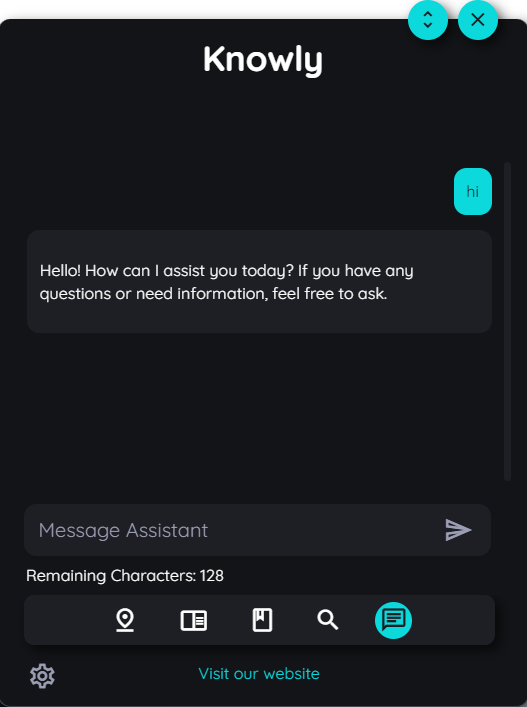
Suppose if there is any type of information regarding any content which has information of "How to book a holiday?" then the chat will return the users all type of information stored in a structured manner.
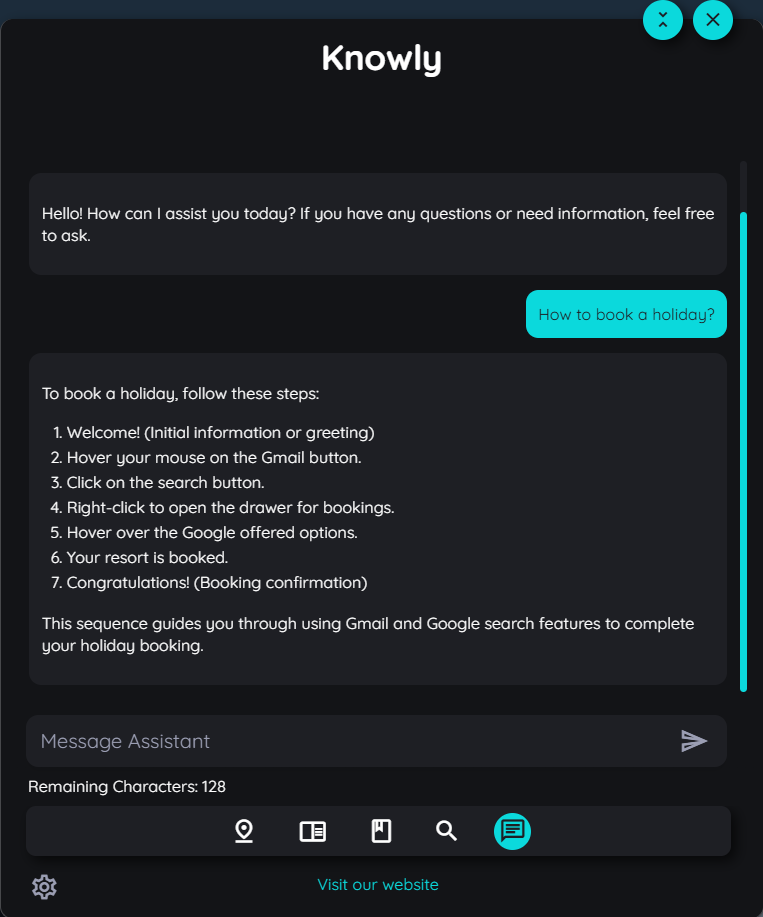
New Conversation With Knowly
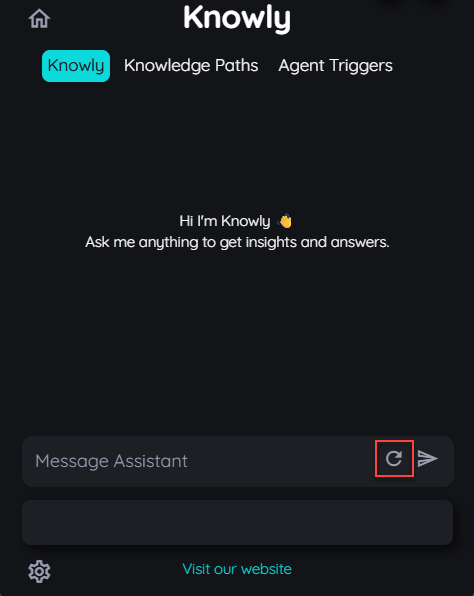
Users can start a fresh chat with Knowly related to any other information using the reload chat button. Once the reload button is used a fresh conversation will be started with no reference of the old chat.
Knowly Context Aware Mechanism
This is a smart feature which helps the user to navigate in knowly while recording each action. The system remembers where the user has clicked on the application and using that element the knowly chat is able to guide the user in their further actions.
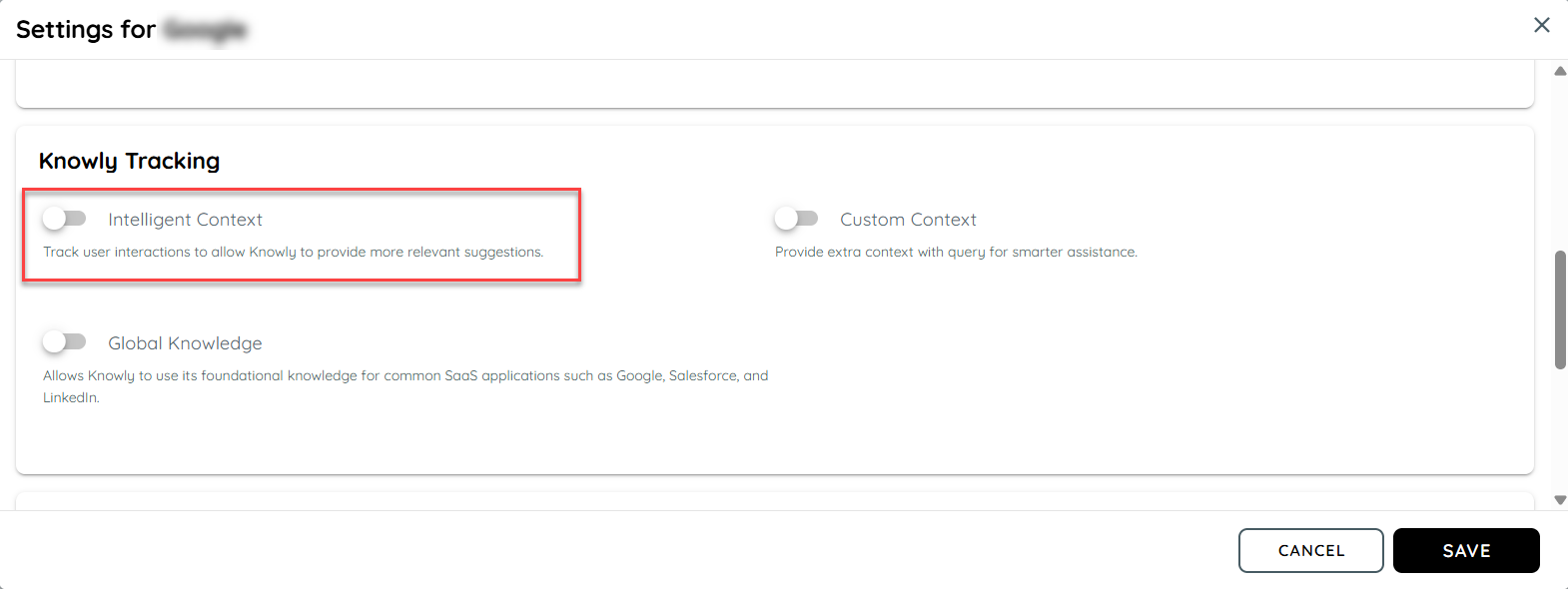
The knowly tracking feature can be enabled from the application setting in the guidance tab. On enabling the toggle and save, this feature will be enabled.
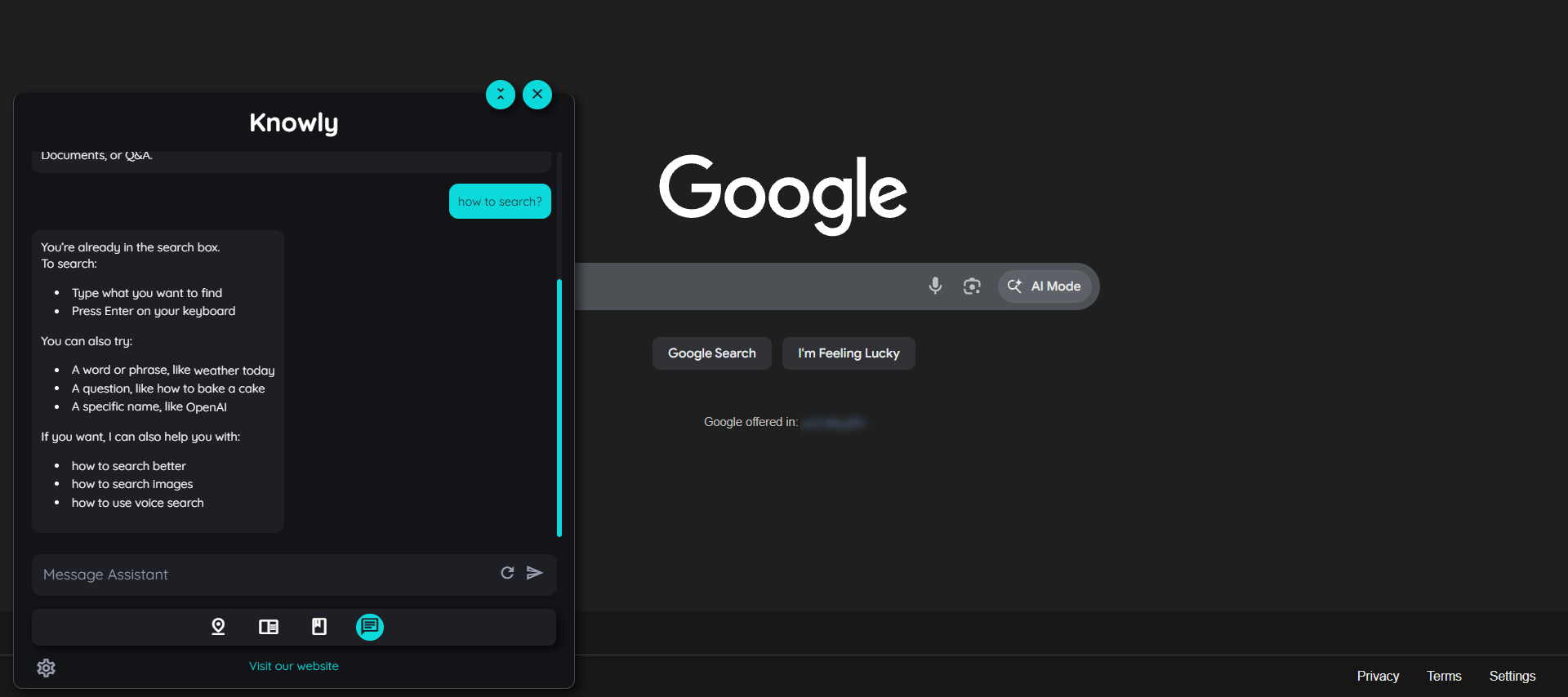
When the context aware feature is enabled and user asks something related to the application, it will catch context of the questions asked and will reply accordingly. For example if we ask on the Google application how to search? it will display all the details that it has cached from the tracking of the element where the user is currently working on. This feature intelligently helps the users guide step by step on which ever tab they are working on. This works by the system intelligently keep tracking of the user clicks and determines the context of the question of the user and then generate the reply's in the chat.
Daily User Conversations Analytics In Knowly Chat
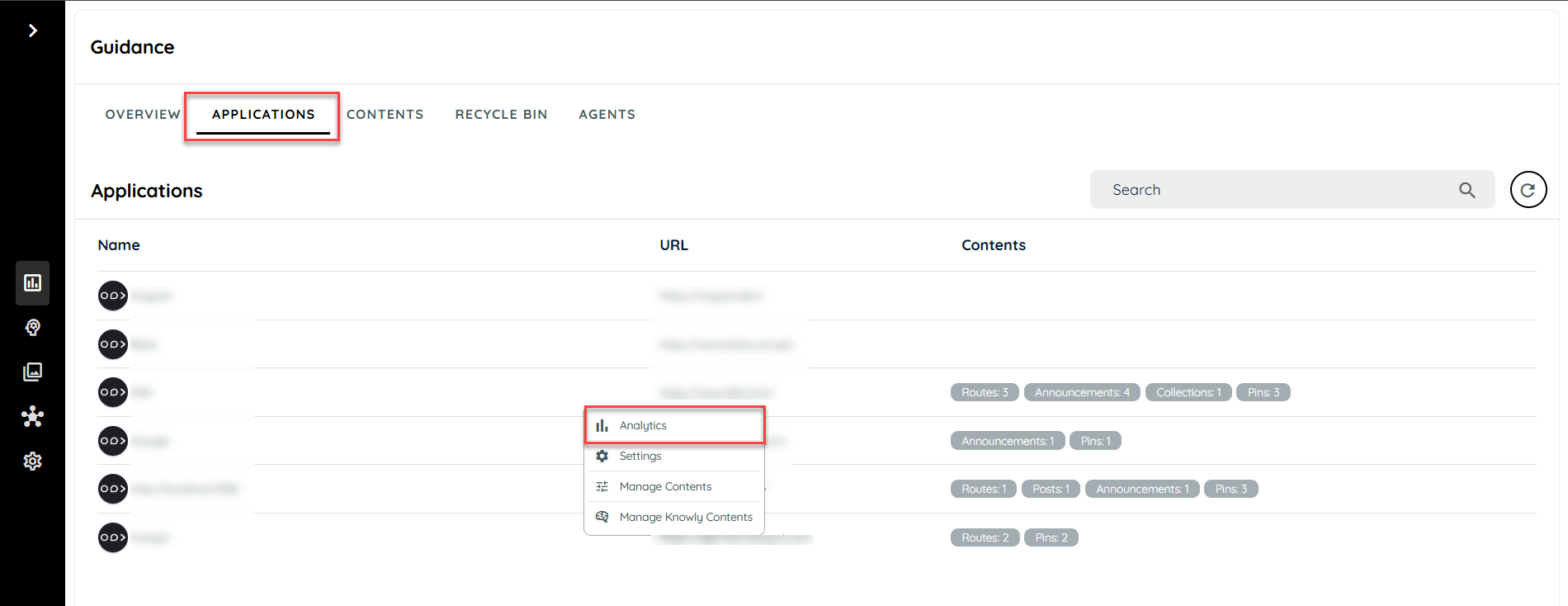
Users can keep travk of the daily conversations of the chats being occurred in Knowly. The analytics can be found in the guidance application tab. User can select any application and open the detailed analytics page on that particular application.
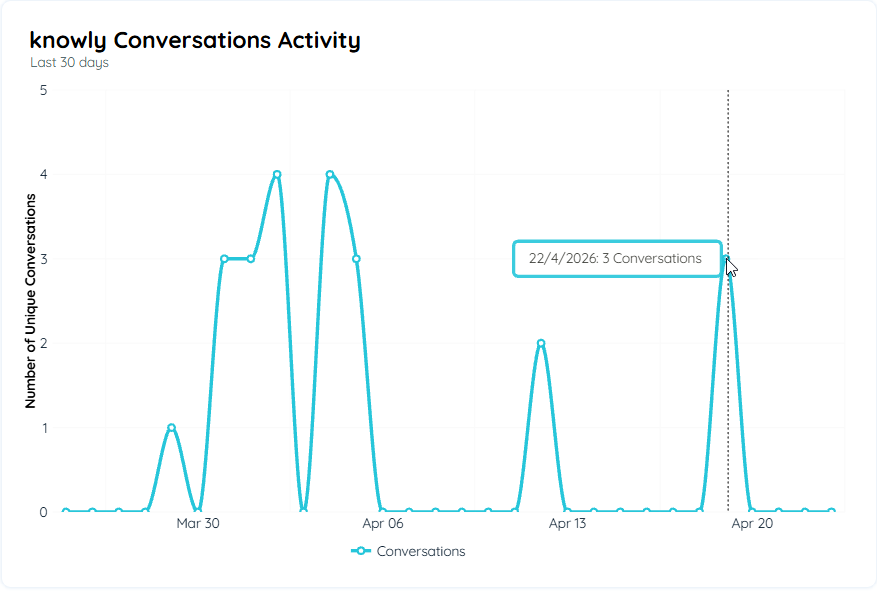
Knowly Conversation Activity
Knowly Profile (Persona)
The Knowly Profiles feature allows workspace administrators to assign a dedicated persona to Knowly for end users while keeping the existing Knowly experience unchanged for authors and internal users. This enhancement enables Knowly to function as a specialized assistant based on specific business requirements and use cases.
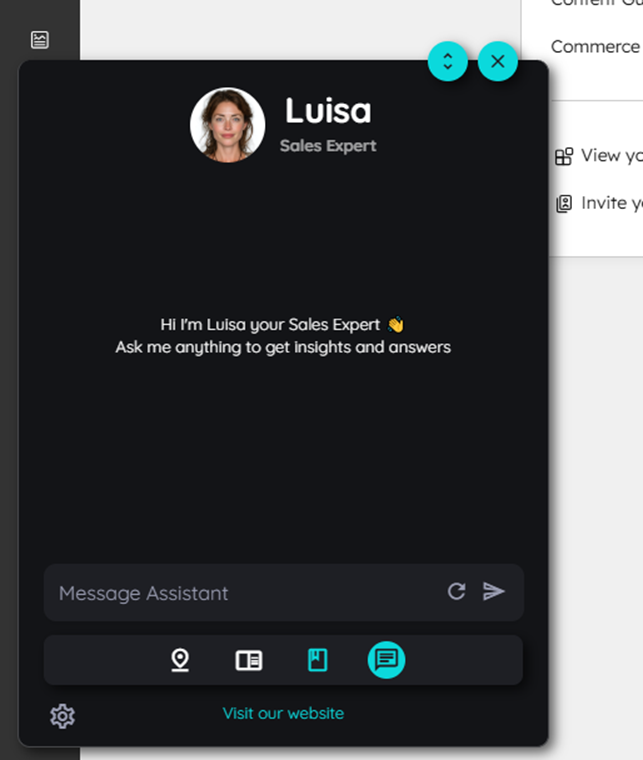
The Knowly Profiles feature allows Workspace Administrators to optionally select a dedicated profile for Knowly through Portal Settings. This enables end users to interact with Knowly as a specialized persona, such as “Luisa,” with a custom display name, avatar, and additional behavior instructions based on business requirements. While end users experience the personalized Knowly assistant, authors and internal users continue using the standard Knowly experience without any changes. This ensures a customized user experience without affecting existing author workflows.
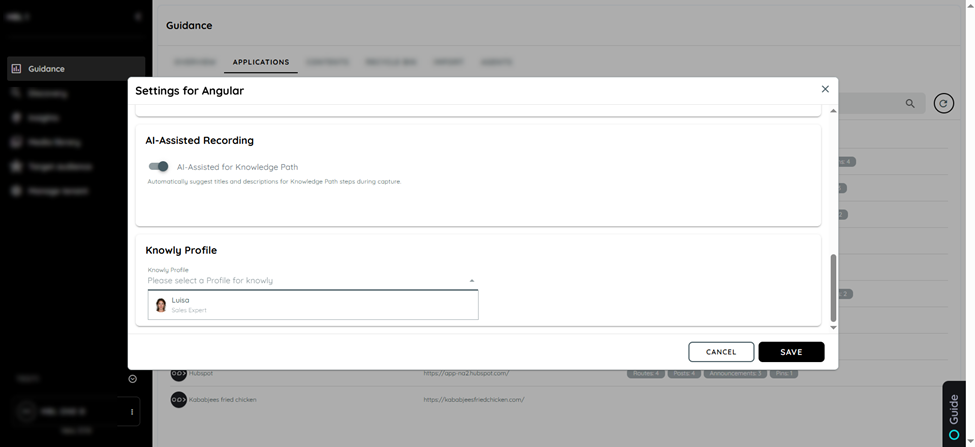
Avatar Profile Structure
Each Knowly Profile consists of key components that define how the chatbot appears and behaves for end users. Every profile includes a unique Profile ID, which is a stable system identifier stored in Portal configuration and used to apply the correct profile, such as luisa-sales. The Title serves as the internal descriptive name, helping administrators understand the profile purpose during selection, for example, Sales Expert. The Display Name is the visible chatbot name shown to end users, such as Luisa, replacing the default Knowly name.
In addition, each profile includes a dedicated Avatar Image to improve persona recognition and branding, along with a Profile Instruction that extends Knowly’s default behavior. These instructions define the chatbot’s personality, tone of communication, business-specific expertise, and response style. For example, Knowly can be instructed to act as a Sales Expert and provide professional, sales-focused recommendations. The system combines these profile instructions with Knowly’s default behavior to deliver a personalized and context-aware user experience.
When No Profile is Selected
If no Knowly Profile is selected, the system behaves exactly as the current implementation without applying any additional customization. In this case, Knowly continues to use only the default Knowly Basic Instruction, and no profile-specific display name, avatar, or behavior instructions are added. This ensures that the standard Knowly experience remains unchanged for users. The system only combines additional instructions when a specific profile is selected; otherwise, no modifications are applied.
Global Knowledge
The Global Knowledge feature is designed to enhance the Knowly AI assistant by enabling it to respond to user queries related to commonly used SaaS applications, even in the absence of internal documentation.
The Global Knowledge feature in Knowly gives administrators control over whether the AI assistant can draw upon its general training data when answering user queries. When enabled, the AI can respond helpfully to questions about common SaaS tools even if no internal documentation has been uploaded for them. When disabled, the AI strictly limits its responses to content available in the uploaded documentation only. Internal (uploaded) documentation remains the primary source of truth Global (LLM-based) knowledge is used only as a secondary, supportive layer.
The Global Knowledge feature enables the AI to handle SaaS-related queries by combining internal documentation with global knowledge, ensuring more complete and contextual responses.
The feature excludes general knowledge queries, personal conversations, and any non-software-related assistance.
Example: "What is the weather in Berlin?" or "Tell me a joke".
This ensures the system remains focused, professional, and aligned with enterprise use cases.
Configuration & Settings
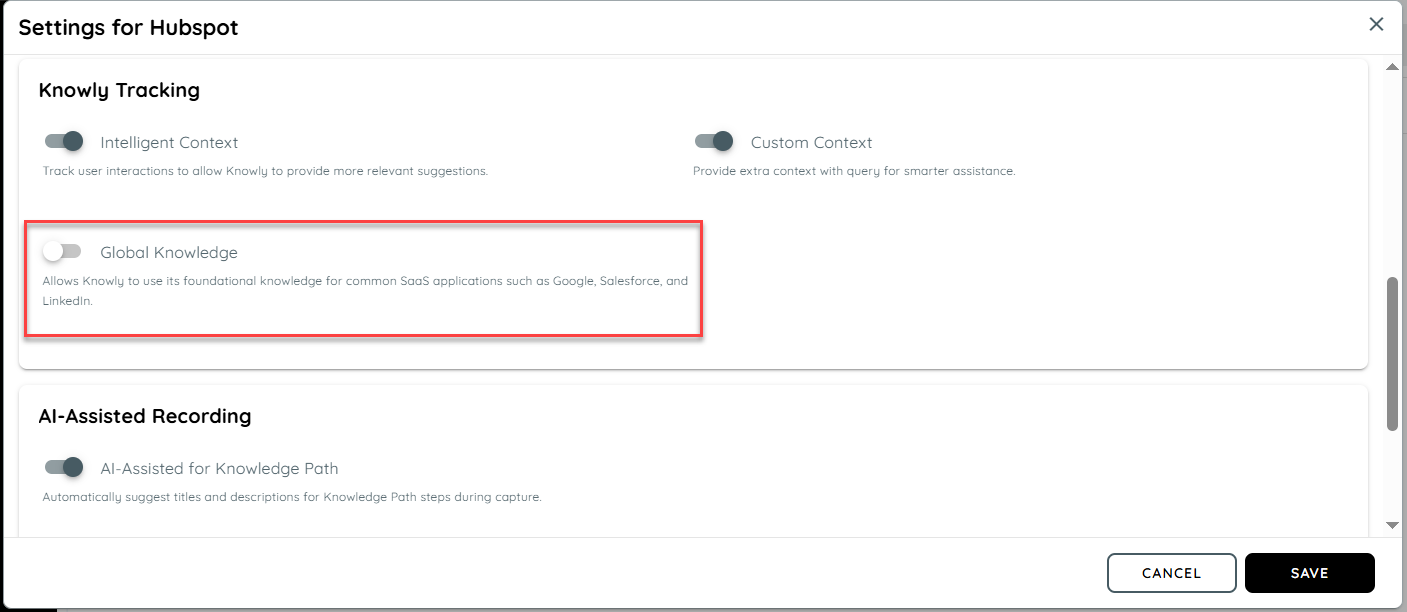
Setting Name: Enable Global Knowledge → This setting controls whether the AI can use its built-in (global) knowledge in addition to internal documentation.
Location: Available under Knowly Tab → Knowly Tracking, allowing administrators to easily access and manage the feature.
Default State: The setting is Disabled (OFF) by default to ensure the system initially relies only on internal documentation.
Scenario A: No Internal Documentation Available
When the Global Knowledge feature is enabled and no internal documentation is available for a specific tool, the AI relies entirely on its global knowledge to generate a response. In this case, the system uses its pre-trained understanding of common SaaS applications to assist the user. The response should still remain accurate, relevant, and within the scope of software assistance. This ensures users receive helpful guidance even in the absence of uploaded documentation.
Scenario B: Internal Documentation Available
When internal documentation is available, the AI must treat it as the primary source of truth while answering user queries. The response should be grounded in the specific documentation to ensure accuracy. Global knowledge can be used only to supplement the response, such as explaining standard UI elements or common features not covered in the docs. Under no circumstances should global knowledge override or contradict the internal documentation.
Validation Rules:
No-Document Available (Enabled State)
When the Global Knowledge feature is enabled and no internal documentation is available for a specific application, the AI must still be able to handle user queries effectively. In such cases, the system should rely on its general training data to generate a helpful, relevant, and accurate response. This ensures that users are not blocked due to the absence of uploaded documentation and can still receive guidance on commonly used applications.
Priority Based Search
When both internal documentation and global knowledge are available, the system must enforce a strict priority model where internal documentation is treated as the primary source of truth. The AI must base its responses primarily on the uploaded content to ensure alignment with company-specific configurations and workflows. Global knowledge should only be used as a secondary source to fill informational gaps or provide additional context, such as explaining standard UI elements, without contradicting the internal documentation.
Strict Professional Guardrails
Even when Global Knowledge is enabled, the AI must strictly adhere to its role as a software assistant and should not respond to non-software-related queries. If a user asks questions outside the defined domain such as general knowledge, weather updates, or creative requests the AI must decline the request. The response should clearly communicate that it is only authorized to assist with software and application-related queries, ensuring professional and domain-specific interaction at all times.
Knowledge Restriction (Disabled State)
When the Global Knowledge feature is disabled, the system must operate strictly based on internal documentation. In scenarios where a user asks about a tool or feature that is not covered in the uploaded content, the AI must not use its general knowledge to generate a response. Instead, it should clearly inform the user that the requested information is not available within the current documentation, thereby maintaining the expected AppNavi-only behavior.
Updated 5 months ago