
Business Process
Overview
The Business Process Assignment feature allows discovered applications to be categorized according to their business function. Each application can be assigned a business process from a centrally defined, multilingual list. This ensures clarity on how applications are used within the organization and supports reporting, filtering, and analytics.
Purpose of the Feature
The Business Process Assignment feature is designed to:
- Categorize discovered applications based on business function.
- Ensure compliance and transparency in application usage.
- Enable structured reporting and filtering.
- Provide management with a clear overview of applications used across different business domains.
Key Benefits for the Organization:
- Compliance & Audit Readiness: Each application is linked to a defined business process, supporting regulatory requirements.
- Better Reporting & Insights: Enables meaningful analytics and exportable reports filtered by business process.
- Operational Efficiency: Understanding application context improves resource allocation and business decisions.
- Consistency: Centralized, code-defined business processes maintain uniform categorization.
Scope
This feature applies to all discovered applications within the organization. Each application can have one assigned business process from a predefined, multilingual list (English and German).
- Editable only per application in the Discovery section.
- Not inherited from App Catalog entries.
- Available for filtering, reporting, and exporting in dashboards.
Steps
- Open the Discovery section.
- Go to App Overview.
- Select a discovered application to edit.
- Open the edit dialog.
- Locate the Business Process dropdown.
- Select the desired process.
- Save changes.
Confirm the selected business process appears in the App Overview table.
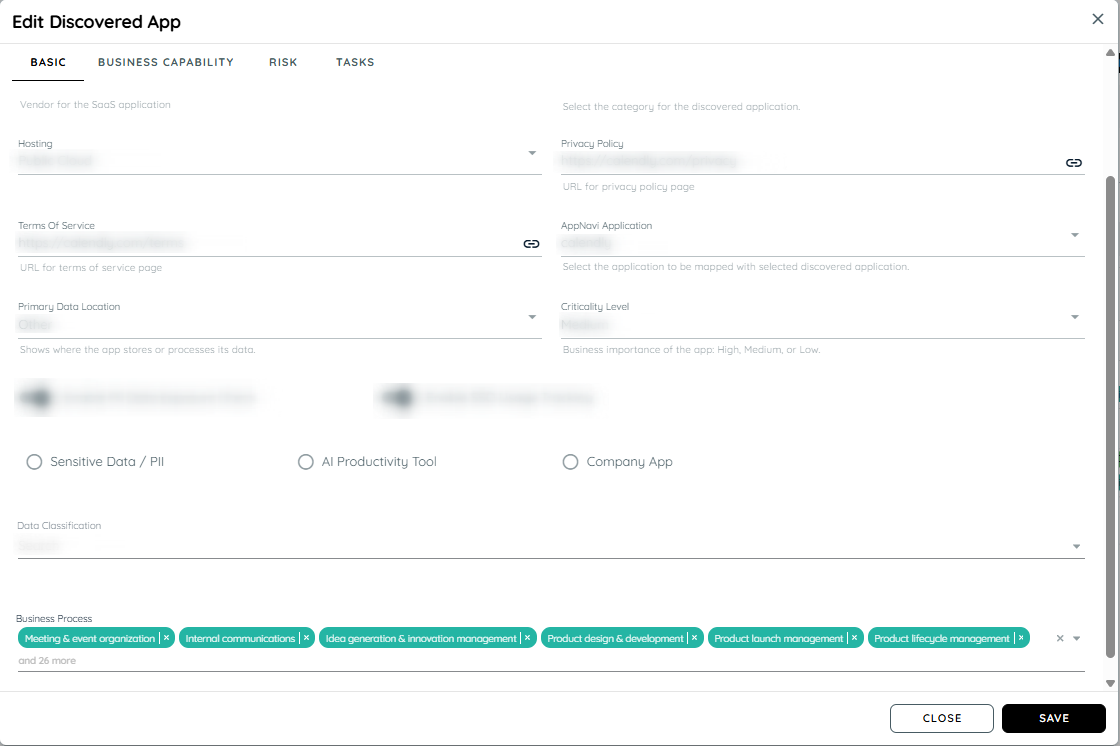
Example Business Process Categories
- Finance & Accounting: Budgeting, Payroll, Tax compliance
- Human Resources: Recruiting, Onboarding, Employee engagement
- IT & Digital: Cybersecurity, Systems integration, Cloud services
- Sales & Customer Management: CRM, Sales pipeline, Customer retention
- Operations & Production: Manufacturing, Quality control, Lean management
Full list includes 14 categories covering all major business functions.
Reporting & Filtering
- Visible in Discovery UI Table
- Exportable in reports (Excel, CSV)
- Filters by business process or category
Summary
The Business Process Assignment feature provides a centralized, structured, and transparent way to categorize discovered applications. It supports compliance, reporting, and operational insights. Accurate categorization ensures management and teams can make data-driven decisions and maintain organizational consistency across all business functions.
Updated 11 months ago