
Single Page Application
Modern web applications often update content dynamically without performing a full browser refresh. Navigation may occur through changes in query parameters (?id=1), hash fragments (#section), or internal paths (/dashboard/settings). In such cases, traditional page load detection may not capture these transitions accurately.
The Single Page Application (SPA) setting ensures that these dynamic URL changes are treated as valid page navigations. This allows proper tracking, correct display of guidance elements, and accurate triggering of Insights, Pins, and Announcements.
Overview
The Single Page Application (SPA) configuration supports dynamic web applications where navigation occurs without a complete browser refresh. The configuration supports different navigation handling methods, including Security, Parameter, and Dynamic values.
When enabled and configured, the SPA setting ensures that guidance elements, such as Avatar guidance, Pins, and other content, are displayed correctly on the relevant page based on the current URL or navigation state.
This helps improve customer activity tracking by identifying which web pages users visit and what actions they perform. For example, when a customer opens a specific page, views guidance content, or interacts with an Avatar element, these interactions can be tracked against the relevant URL. This provides better visibility into user engagement and helps understand how customers interact with guidance content across different application pages.
Required Roles
The Single Page Application configuration can only be enabled and managed by a Tenant Owner. The Tenant Owner has the required permissions to enable the Single Page Application toggle and configure the required values based on the application's navigation behavior.
Prerequisites
Before enabling Single Page Application configuration, ensure that the application is already configured and available under the Applications section. The user must have Tenant Owner access to modify the Single Page Application settings.
The appropriate configuration value should be identified based on how the application handles navigation, such as parameter-based, hash-based, or dynamic URL changes.
Default Configuration
By default, the Single Page Application (SPA) toggle is disabled. No value is configured in the SPA configuration field initially.
At the default level, the Single Page Application feature remains disabled until an authorized user enables the toggle and provides the required configuration value.
Configuring Steps
- Navigate to the Manage tenant settings.
- Go to Applications.
- Create or Edit Application.
- Locate the Single Page Application section.
- Enable the toggle and configure the required value.
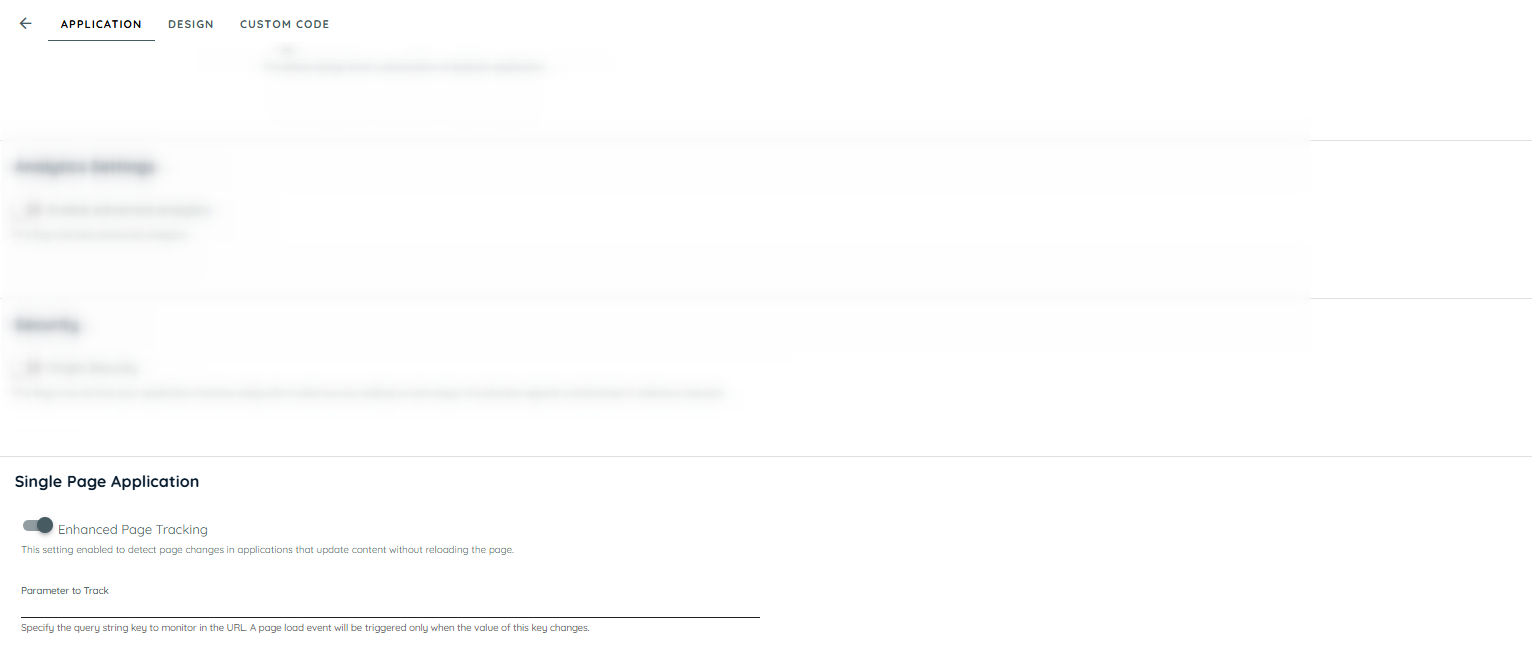
Single Page Application Toggle button
Purpose
The Single Page Application setting ensures that dynamic URL changes are treated as valid page navigations, even when no browser refresh occurs.
This allows:
• Accurate Insights page load tracking
• Correct display of Pins based on current page
• Proper visibility of Announcements
• Prevention of duplicate tracking events
• Stable behavior during rapid navigation
Configuration Example
Example 1: Query Parameter Based Navigation
A key must be defined only for query parameters. If the value of the configured key changes, the system treats it as a new page.

Configured Query Key: page
Application URL:
https://example-app.com/dashboard?page=1
Navigation:
?page=1 → ?page=2
If the SPA setting is enabled and the key page is configured, the change from page=1 to page=2 will be treated as a new page load.
Result:
- Insights records proper page load events for the new page
- Pins update according to the page
- Announcements refresh accordingly
Example 2: Hash-Based Navigation
No configuration is required for hash changes.
https://app.com/profile#overview
to
https://app.com/profile#security
Result:
- Automatically detected as a new page
- Guidance updates accordingly
Example 3: Dynamic Tab Navigation
No key configuration is required for path changes.
https://app.com/dashboard
to
https://app.com/settings
Result:
- Automatically treated as a new page
- Relevant Pins and Announcements displayed
Validation
After enabling Single Page Application configuration, validate the behavior by navigating between different pages or views within the application without performing a full browser refresh.
Confirm that:
• Page navigation is detected correctly.
• Insights captures the relevant page activity.
• Avatar guidance and Pins are displayed on the expected pages.
• Announcements and guidance content refresh according to the current page context.
Security Considerations
The Single Page Application configuration does not provide additional user permissions or access to application data. Configuration changes are restricted to authorized Tenant Owners.
When configuring URL-based parameters, ensure that sensitive information is not included in configurable values, as these values may be used for navigation tracking purposes.
Related Links
Add links to related administrator documentation, including:
• Application management configuration: https://docs.appnavi.com/docs/applications
• Insights configuration and tracking: https://docs.appnavi.com/docs/setup-the-insights
Updated 22 days ago