Guidance
Guidance Features Overview
AppNavi Guidance helps users get support directly inside the applications they work with every day. It combines classic digital adoption features such as Routes, Pins, Announcements, Posts, and Collections with Knowly, AppNavi’s AI-powered assistance layer.
This overview explains the main Guidance features and how they work together.
What is Guidance?
Guidance is the central AppNavi area for creating, publishing, and managing in-app support content. It helps organizations onboard users, explain business processes, communicate changes, reduce support requests, and make software easier to use.
Guidance content is delivered through the AppNavi Avatar and directly inside the target application. Depending on the use case, users can follow step-by-step Routes, discover contextual Pins, read Announcements and Posts, browse Collections, or ask Knowly for AI-powered help.
Main Features
| Feature | Description |
|---|---|
| Routes | Step-by-step guides that help users complete processes inside an application. |
| Pins | Contextual help placed directly on specific UI elements. |
| Announcements | Important messages displayed directly on the screen. |
| Posts | Contextual information available through the AppNavi Avatar. |
| Collections | Groups of related Routes organized into learning or process areas. |
| Knowly | AI-powered assistance that connects guidance, knowledge, and automation. |
| Analytics | Insights into usage, engagement, and Guidance performance. |
Routes
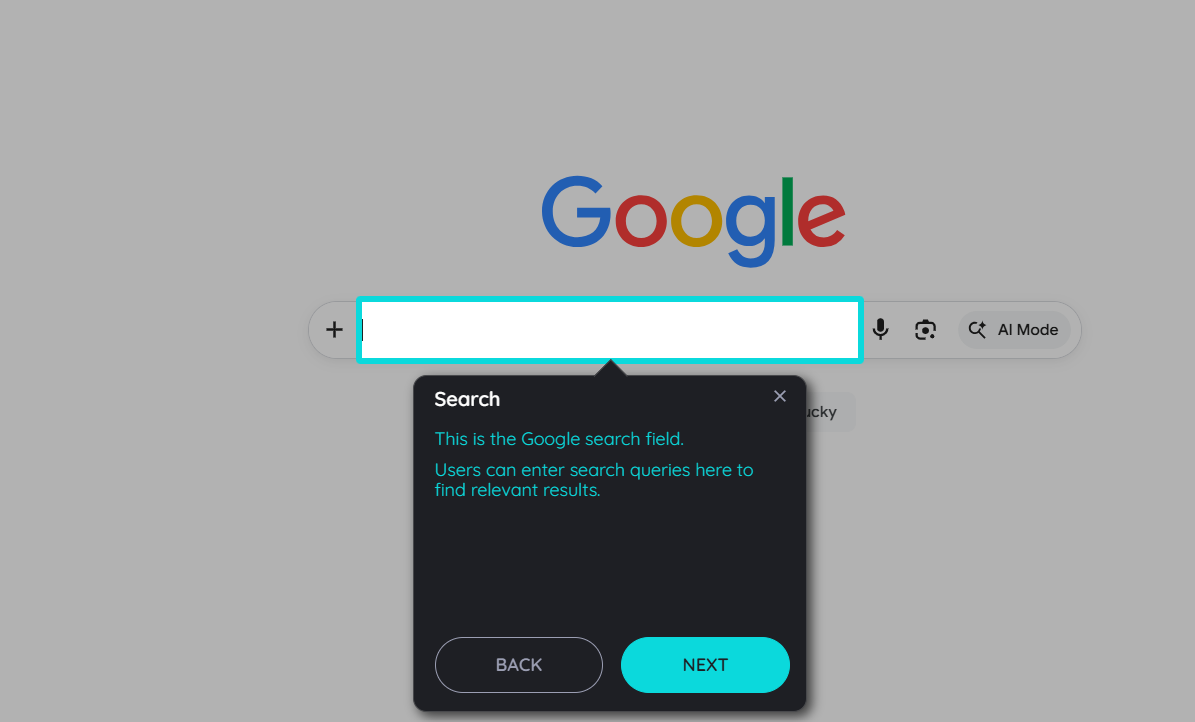
Routes are step-by-step guides that help users complete a process inside an application. They are one of the core Guidance features and are especially useful when users need to learn a workflow, complete a task correctly, or adapt to a changed interface.
A Route can highlight UI elements, display tooltips, ask users to click or enter information, show explanatory content, and lead users through a defined sequence of steps.
Typical use cases include:
- User onboarding
- Process training
- Software rollouts
- Change management
- Compliance workflows
- Recurring business tasks
Routes can include captured interaction steps and informational steps. Captured steps are linked to elements in the application, while informational steps provide additional context without being attached to a specific UI element.
Related Route Capabilities
| Capability | Description |
|---|---|
| Element capture | Connects Route steps to specific UI elements. |
| AI Search and Fuzzy Search | Help identify UI elements more reliably in dynamic applications. |
| Rich tooltip content | Supports text, images, videos, links, iframes, and connected Routes. |
| Publishing and targeting | Controls where and for whom a Route is visible. |
| Translations | Makes Routes available in multiple languages. |
| Import | Allows existing Route content from supported third-party platforms to be imported into AppNavi. |
| Analytics | Shows how often Routes are started, completed, or used. |
Routes
Pins
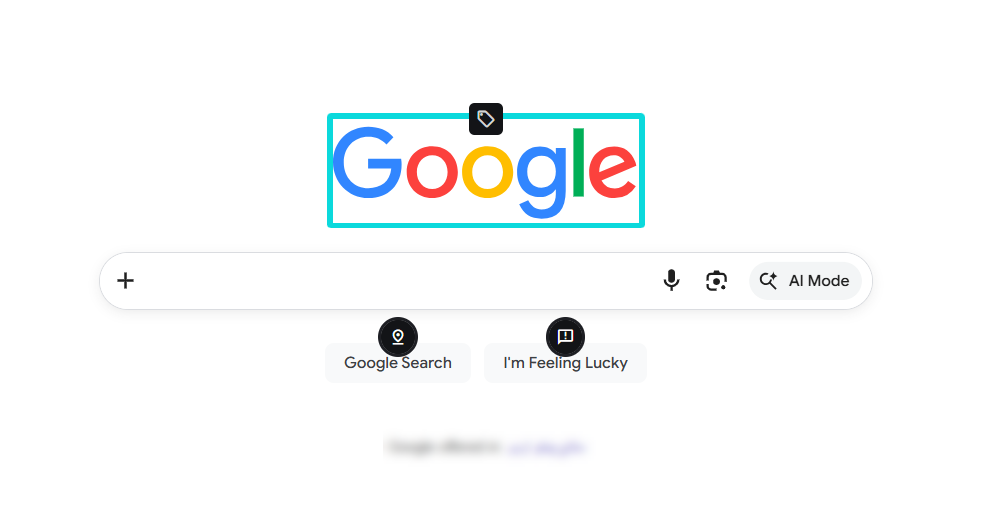
Pins provide contextual help directly on or near a specific UI element. They are ideal for lightweight assistance when users do not need a full step-by-step Route but still need clarification at the point of work.
A Pin can explain a field, highlight a new button, provide a short instruction, or give users quick access to additional guidance.
Depending on the configuration, a Pin can:
- Show a hint
- Start a Route
- Display an Announcement
Pins support just-in-time learning by placing help exactly where users need it.
Related Pin Capabilities
| Capability | Description |
|---|---|
| Element capture | Connects a Pin to a specific UI element. |
| Pin actions | Defines whether the Pin opens a hint, starts a Route, or shows an Announcement. |
| Targeting and visibility | Controls where and for whom the Pin is shown. |
| Translations | Allows Pin content to be provided in different languages. |
| Analytics | Measures Pin impressions and interactions. |
Pins
Announcements
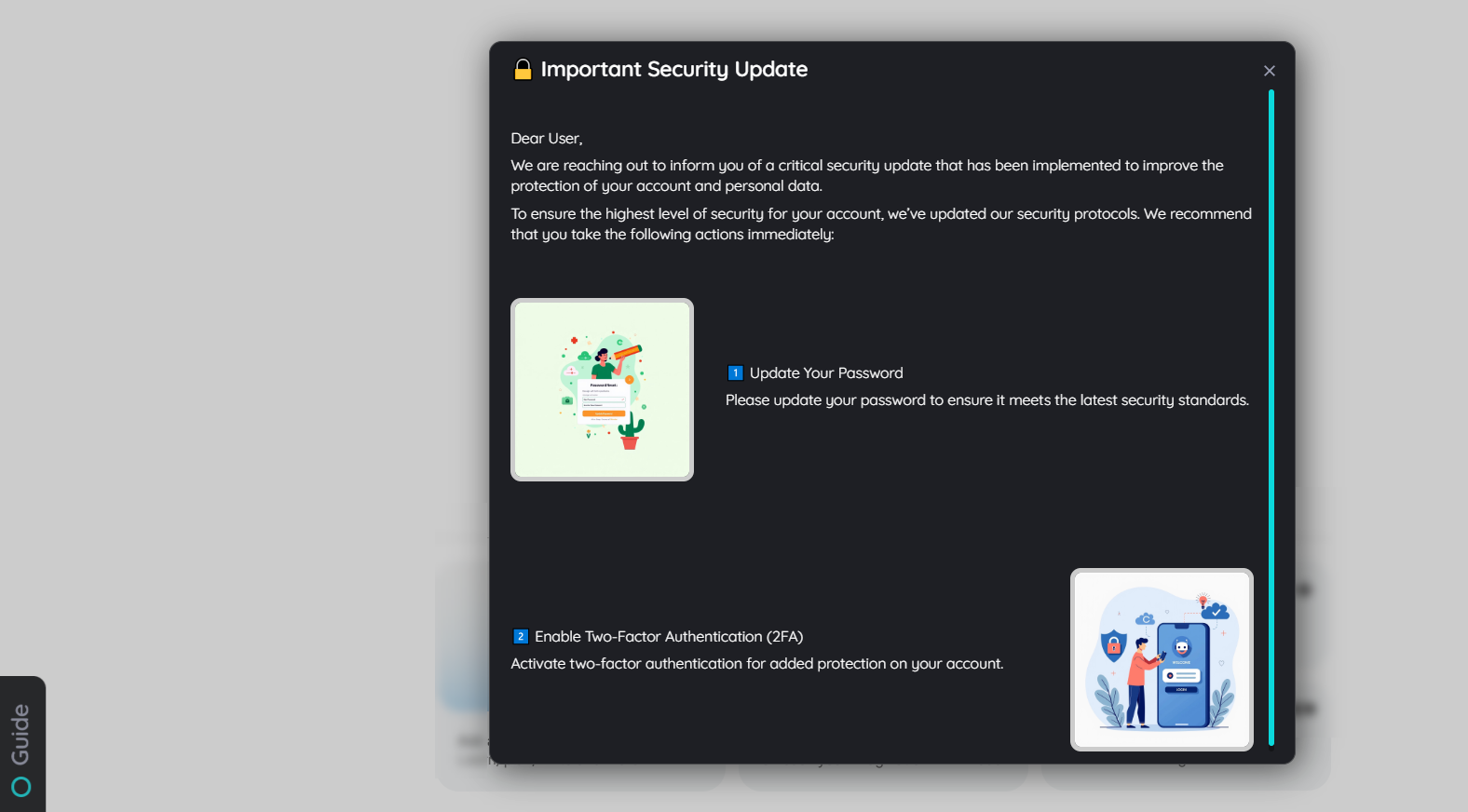
Announcements are on-screen messages used for important communication. They are displayed directly inside the application and are designed to make sure users actively notice relevant information.
Announcements are useful for:
- Release notes
- Process changes
- System updates
- Downtime notifications
- Policy reminders
- Required user actions
An Announcement can include text, media, links, and connected guidance. For example, an Announcement about a changed process can link directly to a Route that explains the new workflow.
Related Announcement Capabilities
| Capability | Description |
|---|---|
| Display behavior | Defines whether an Announcement appears once, repeatedly, daily, weekly, or based on custom logic. |
| Templates | Help create consistent Announcement layouts. |
| Connected Routes | Let users move directly from communication to guided action. |
| Publishing and targeting | Controls application, audience, timing, and visibility. |
| Analytics | Shows views and interactions. |
Announcement
Posts
Posts are contextual information items shown through the AppNavi Avatar. They are less intrusive than Announcements and are useful when information should be available on demand.
Posts can be used for:
- Application-specific updates
- Process information
- Release notes
- Support content
- General help articles
Users can open the Avatar and browse the Posts relevant to their current application and permissions.
Related Post Capabilities
| Capability | Description |
|---|---|
| Application-specific content | Shows Posts only where they are relevant. |
| Rich content | Supports formatted information and helpful resources. |
| Publishing and targeting | Controls who can see each Post. |
| Knowly indexing | Allows Posts to become part of Knowly’s answer base when enabled. |
| Analytics | Measures Post views and engagement. |
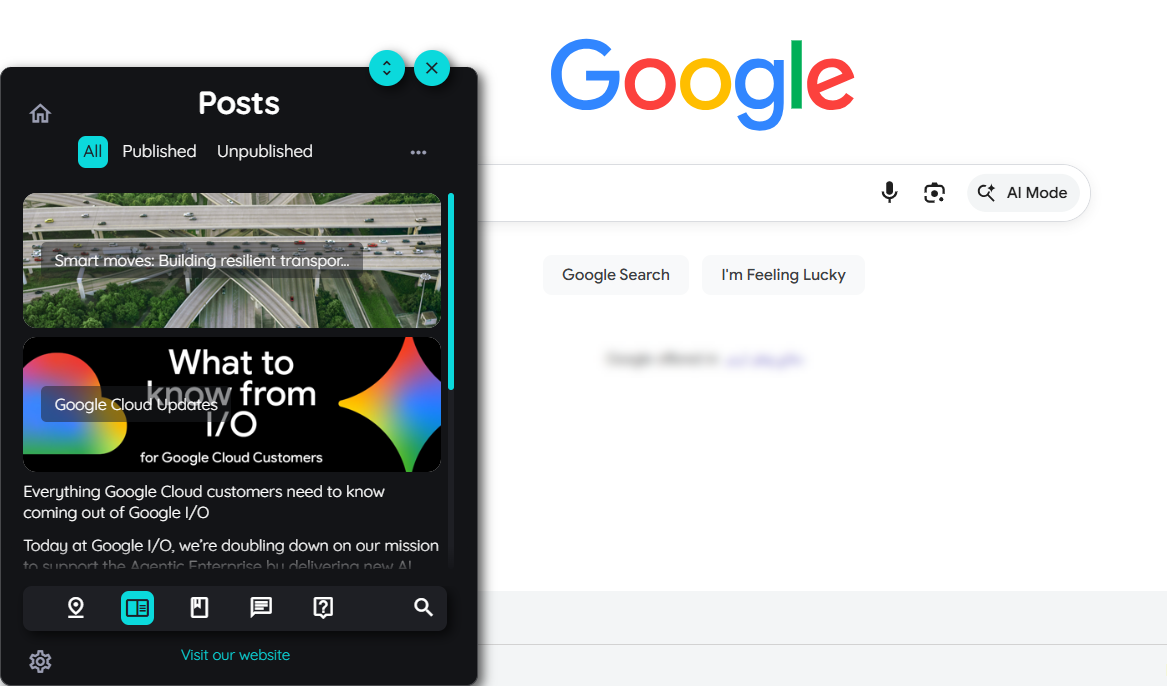
Post
Collections
Collections group related Routes into a structured set. They help users find guidance more easily and are useful for organizing learning paths, onboarding journeys, department-specific processes, or application areas.
A Collection can include several Routes and organize them into a logical order. Users can open a Collection from the Avatar, select the Route they need, and work through related guidance in a structured way.
Collections are especially helpful when one Route is not enough and users need a broader process or learning context.
Related Collection Capabilities
| Capability | Description |
|---|---|
| Route grouping | Brings related Routes together in one place. |
| Learning paths | Structures guidance into meaningful sections. |
| Publishing and targeting | Makes Collections available to the right users. |
| Progress support | Helps users work through related guidance content. |
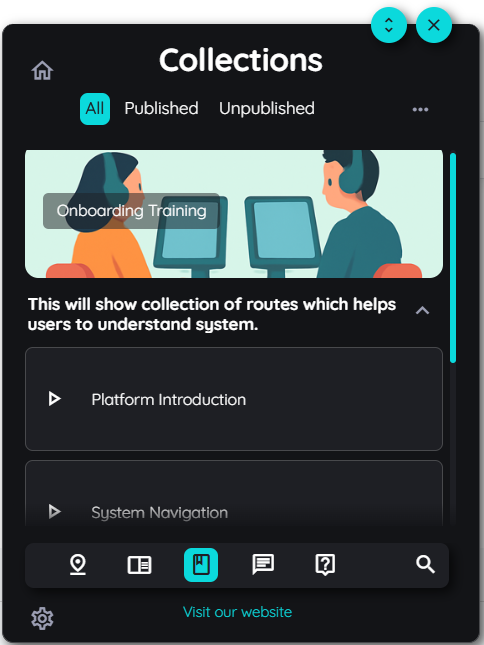
Collection
Knowly
Knowly is AppNavi’s AI-powered assistance layer within Guidance. It extends classic digital adoption by making Guidance content searchable, conversational, contextual, and action-oriented.
With classic Guidance, users usually select a predefined Route, Post, Announcement, or Collection. With Knowly, users can ask questions in natural language and receive answers based on approved and indexed knowledge.
Knowly acts as the bridge between traditional Digital Adoption Platform content and modern AI assistance.
Knowly Chat
Knowly Chat allows users to ask questions through the AppNavi Avatar. Instead of manually searching for the right Route or article, users can describe what they need in natural language.
Knowly can then provide an answer based on indexed and approved content. This helps users get support faster and reduces the need to know where a specific piece of guidance is stored.
Knowledge Sources
Knowly can use different types of approved knowledge, including:
- Published Routes
- Posts
- Announcements
- Documents
- Q&A entries
- Knowledge Paths
Administrators can manage which content is included or excluded from Knowly. This keeps the assistant aligned with approved business information.
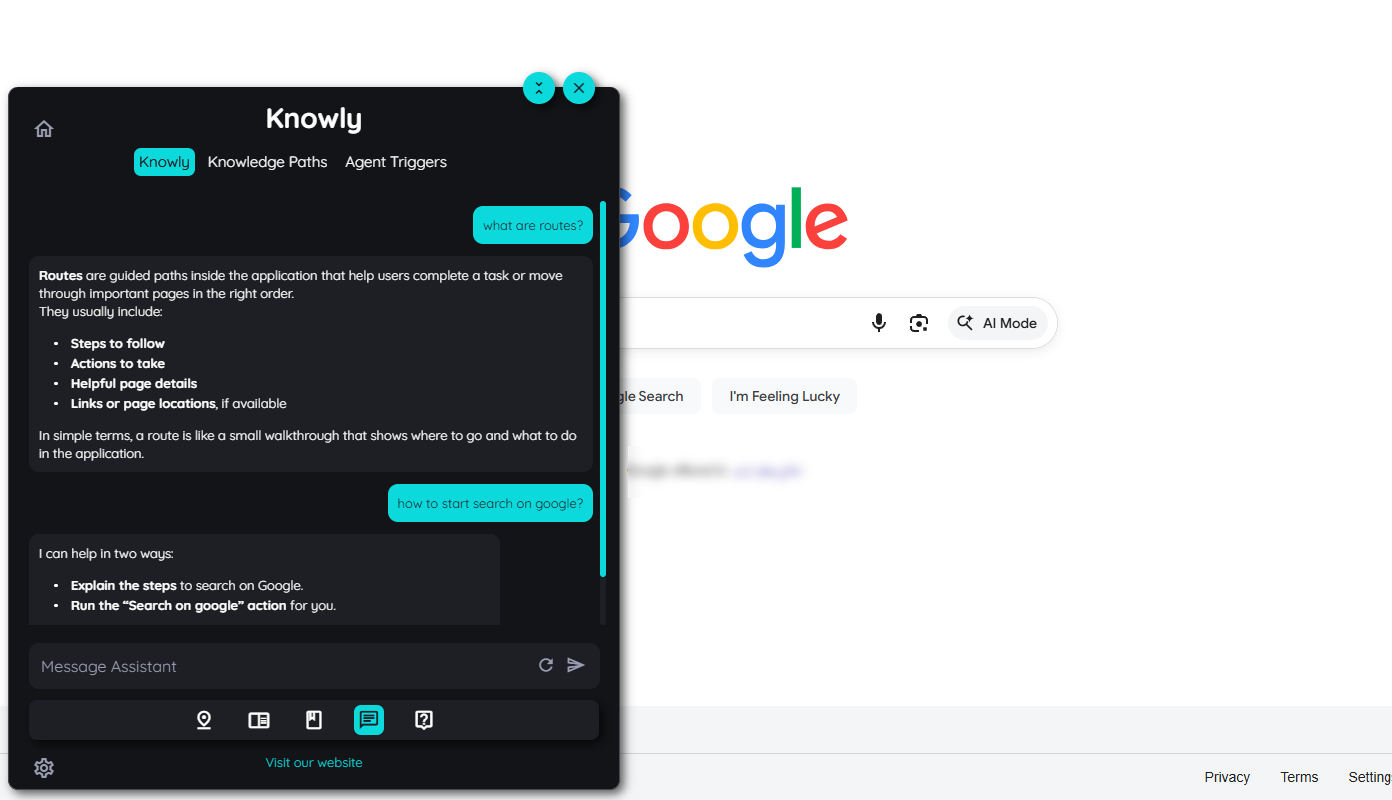
Knowly Chat
Knowledge Paths
Knowledge Paths are step-by-step instructions created for Knowly. They connect natural-language help with practical, application-based guidance.
Instead of only answering a question with text, Knowly can use a Knowledge Path to provide structured instructions tied to real UI interactions. This helps users move from asking a question to completing a task.
Agents
Agents are automated workflows connected to Knowly. They can ask questions, collect input, validate information, branch into different paths, call external services, process documents, capture page details, or continue with additional actions.
Agents are useful when assistance should go beyond explanation.
Example use cases include:
- Guiding a user through a decision
- Validating required data
- Triggering an API call
- Supporting a service process
- Automating repetitive workflow steps
Agent Triggers
Agent Triggers start an Agent from a specific UI interaction. Authors can capture an element and define that interacting with this element should launch a selected Agent.
This makes agent-based automation available exactly where the user needs it, such as on a button, field, link, or process step inside an application.
Knowly Actions
Knowly Actions define how Knowly should react to specific user intents. They connect natural-language requests with the right Agent or workflow.
With Knowly Actions, a user can ask for something in Knowly, the intent can be matched, and the configured action can start an agent-driven process.
Knowly Profiles and Global Knowledge
Knowly Profiles allow administrators to define the assistant’s name, avatar, behavior, and persona. This helps create a more tailored assistant experience for different business contexts.
Global Knowledge can optionally allow Knowly to answer general questions about common SaaS applications when no internal documentation is available. Internal documentation remains the preferred source whenever it exists.
Analytics
Analytics helps teams understand how Guidance content is used and where users need support. It provides insights into user activity, content usage, Route performance, Announcement views, Post engagement, Pin impressions, and application adoption.
Analytics is especially useful for administrators and authors because it helps them:
- Improve Guidance content
- Identify adoption gaps
- Understand user behavior
- Measure the impact of Guidance over time
- Prioritize future content improvements
Guidance Filters can refine analytics data by criteria such as country, department, or organizational unit. This makes it easier to evaluate adoption for specific user groups.
Shared Guidance Capabilities
Some capabilities apply across multiple Guidance features instead of being standalone end-user features.
Publishing and Targeting
Publishing controls which Guidance content is visible in an application. Targeting ensures that the right users see the right content in the right context.
Authors can define:
- Application assignment
- Visibility rules
- Audience restrictions
- Page or URL conditions
- Date ranges
- Publication status
This applies to features such as Routes, Pins, Announcements, Posts, and Collections.
Multilanguage
Multilanguage support helps organizations provide Guidance content in the user’s preferred language.
Authors can create or manage translations for relevant Guidance content so international users receive support they can understand.
Avatar Experience
The AppNavi Avatar is the main access point for many Guidance features. Users can open it to find Routes, Collections, Posts, Search, and Knowly, depending on the enabled setup.
Administrators can configure the Avatar experience, including the order of available menu items, so the most relevant support options are easy to access.
How the Features Work Together
Guidance features are designed to complement each other:
- A Route guides users through a process.
- A Pin gives contextual help and can start a Route from the relevant UI element.
- An Announcement informs users about an important change and can link to a Route.
- A Post provides additional information in the Avatar.
- A Collection groups related Routes into a structured learning or process area.
- Knowly makes approved content accessible through natural-language questions.
- Knowledge Paths and Agents turn Knowly from a help interface into an action-oriented assistant.
- Analytics shows how users interact with Guidance and where improvements are needed.
Together, these features support both classic digital adoption and AI-assisted enablement. Routes, Pins, Posts, Announcements, and Collections provide structured guidance. Knowly builds on that foundation and makes the same knowledge conversational, contextual, and actionable.
Summary
AppNavi Guidance provides a focused set of features for helping users directly in the flow of work.
Routes guide users through processes, Pins provide contextual help, Announcements communicate important updates, Posts make information available on demand, and Collections organize related guidance.
Knowly extends this foundation with AI-powered assistance, Knowledge Paths, Agents, Agent Triggers, and Knowly Actions.
Together, Guidance and Knowly help organizations support users more effectively, reduce friction, and connect classic digital adoption with modern AI-driven assistance.
Updated 5 months ago