
Audit Log
Audit Log
The Audit Log provides administrators with a record of important user authentication and security-related activities in AppNavi. It can be used to monitor login activity, investigate failed authentication attempts, and understand when security related events occurred.
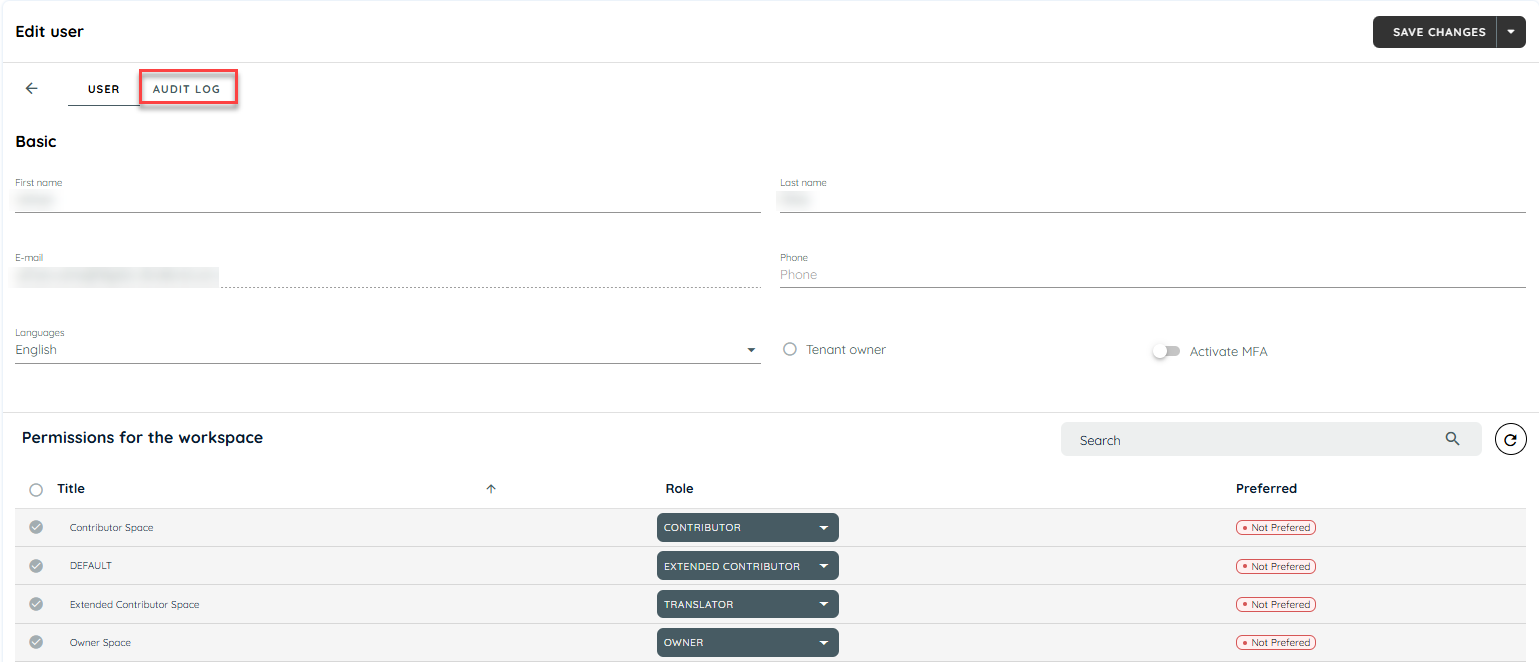
The Audit Log is available from the Users page in the AppNavi portal and it will only display Last 30 days data.
What is recorded?
The Audit Log records user login and authentication events from both the AppNavi portal and AppNavi Avatar.
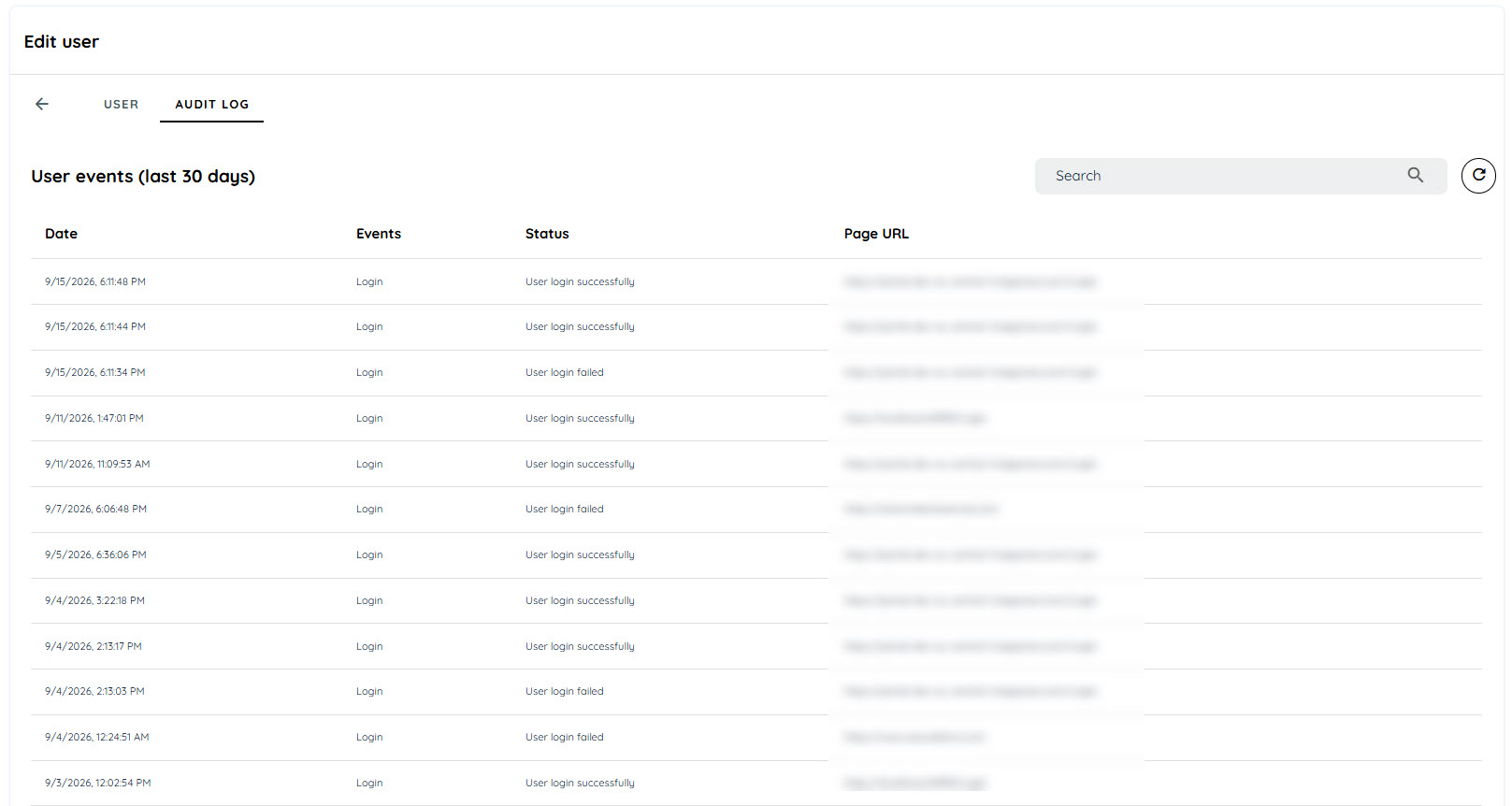
Each logged event includes information such as:
- Date and time — when the event occurred
- Event — the type of activity that occurred
- Status — whether the event was successful or failed
- Page URL— the page on which login activity has been occured
Login events
The Audit Log records login attempts made through the AppNavi portal and Avatar, including both successful and failed attempts.
This allows administrators to identify:
- Successful user logins
- Failed login attempts
- Repeated authentication failures
- Login activity for individual users
- The time at which an authentication event occurred
MFA login events
Login events using Multi-Factor Authentication (MFA) are also recorded.
The Audit Log can contain both successful and failed MFA authentication events. This allows administrators to review authentication activity when investigating login problems or unexpected access attempts.
SSO login events
Login events using Single Sign-On (SSO) are recorded in the Audit Log.
Both successful and failed SSO authentication events may be displayed. This can help administrators investigate authentication issues involving the organization's identity provider.
Restricted-domain login events
The Audit Log may also contain failed login events caused by restricted-domain login policies.
These events can be useful when investigating why a user was unable to authenticate even though their credentials may otherwise be valid.
Permissions
Access to the Audit Log is limited to only tenant owners.
How to use the Audit Log
Administrators can use the Audit Log when investigating authentication and security-related questions.
For example, the Audit Log can help answer questions such as:
- Did a user attempt to log in?
- When did the login attempt occur?
- Was the login successful or unsuccessful?
- Was the login performed through MFA or SSO?
- Were there repeated failed login attempts?
When investigating an issue, use the date and time, event type, status, and affected user to correlate the Audit Log entry with the reported problem.
Audit Logs
Using the Audit Log for investigations
The Audit Log can be used as part of an investigation into authentication or account-access issues.
A typical investigation can follow these steps:
- Open Users → Audit Log.
- Identify the affected user.
- Review the relevant date and time.
- Check the event type.
- Check whether the event was successful or failed.
- Determine whether MFA or SSO was involved.
- Check for repeated or related failed login events.
- Compare the audit events with the user's reported issue and, where applicable, the organization's identity-provider logs.
- Use the available audit information to determine the next troubleshooting step.
For example, if a user reports that they cannot log in, the Audit Log can be checked to determine whether AppNavi recorded a failed login attempt and when it occurred. If the event involves SSO or MFA, the administrator can use the corresponding event information when investigating the authentication flow.
Updated about 2 months ago