Integrating Atlassian Workspace With Knowly
Enabling Atlassian For Knowly
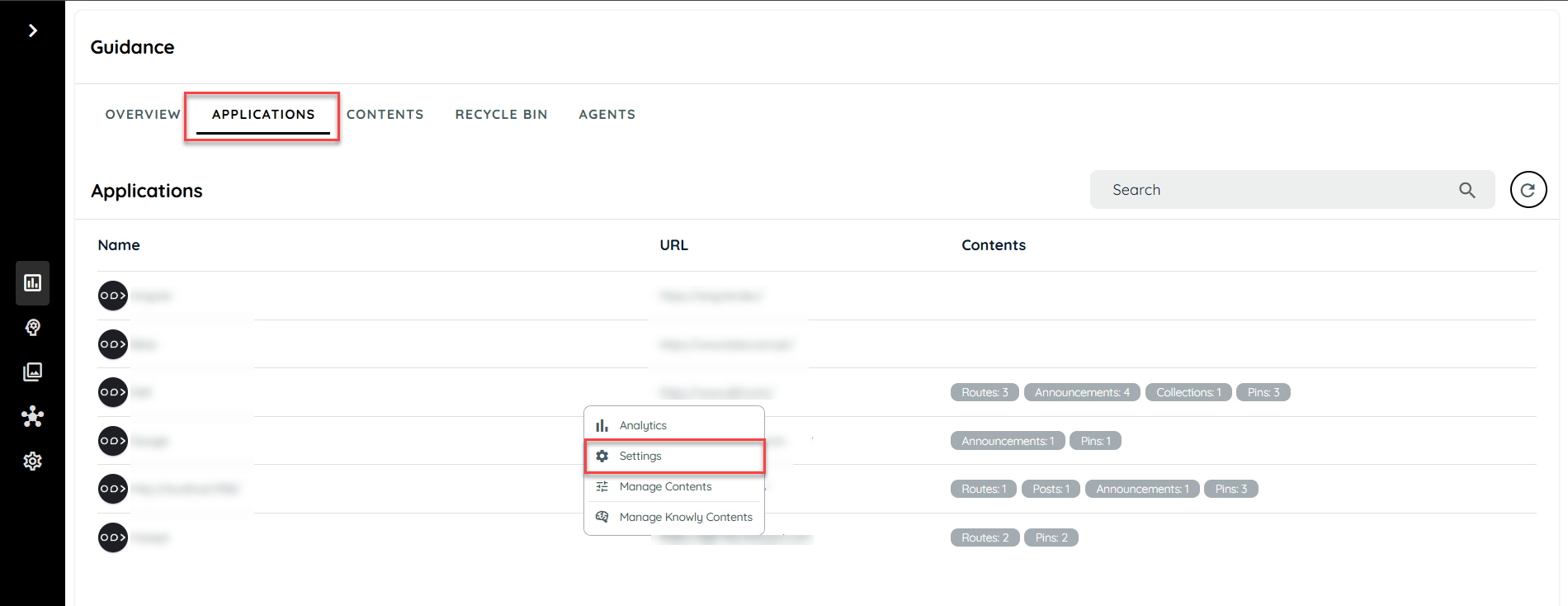
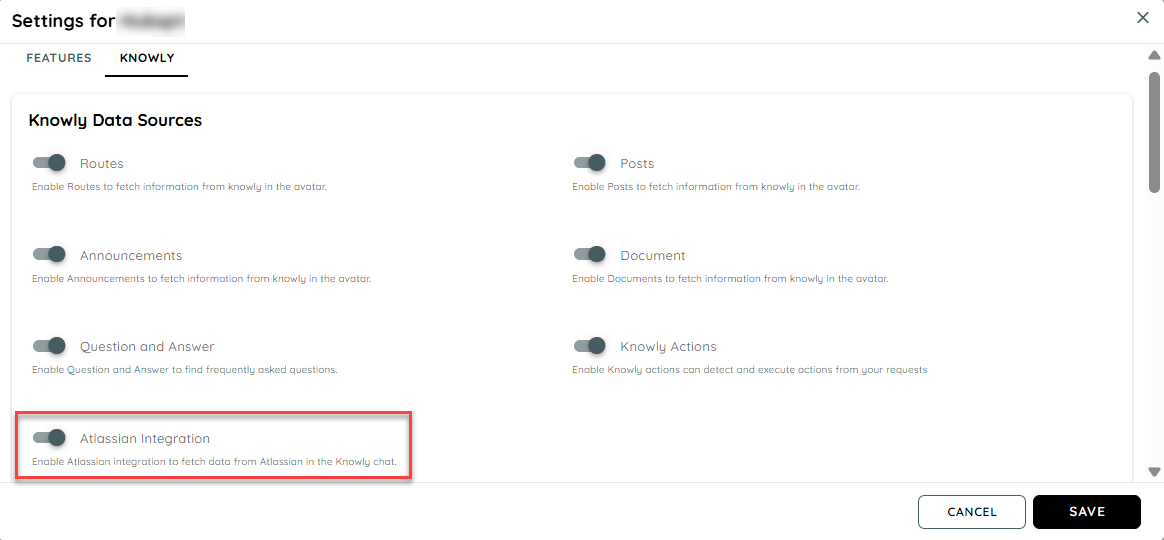
The Atlassian integration can be done by enabling the Atlassian feature in the Guidance application settings. User can select any specific application and open the settings knowly. On enabling the Atlassian integration toggle another section will be added in the settings for the Atlassian authentication.
Atlassian Authentication
Users can configure Atlassian by entering the Base URL, API token and Email of the Atlassian registered user.
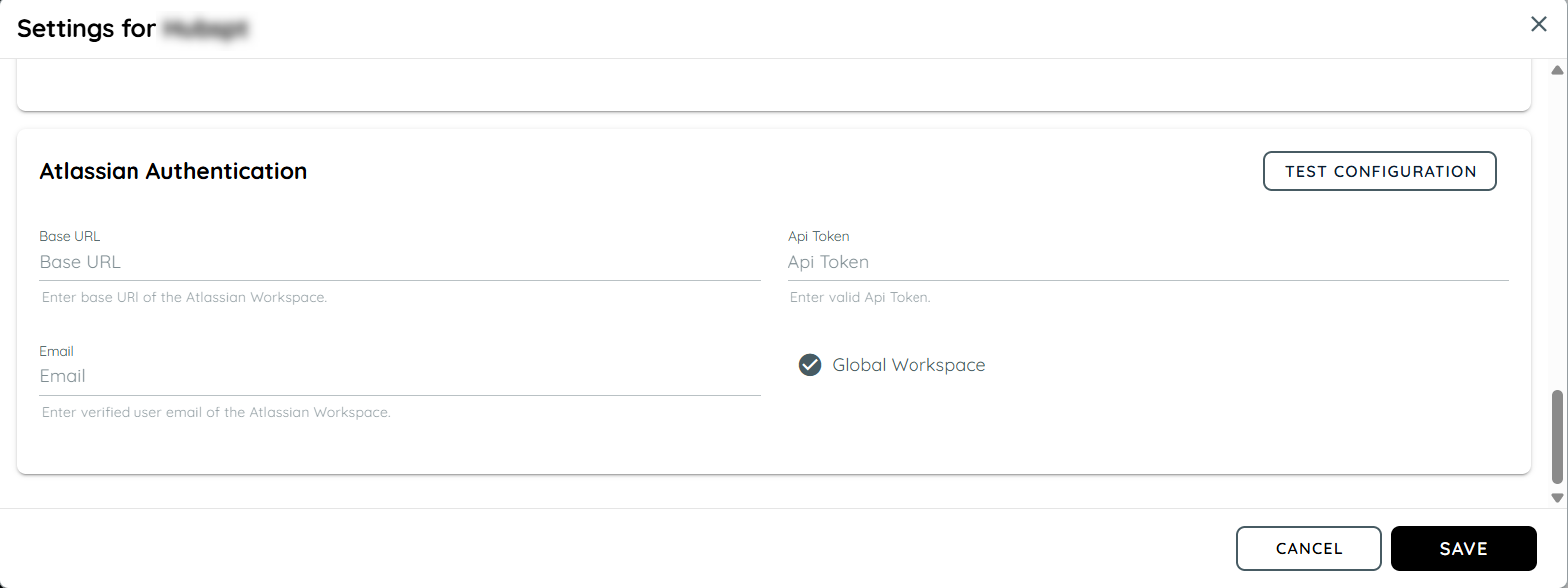
On entering the authentic details, users can check if they have a successful connection to Atlassian or not by using the the test configuration button.
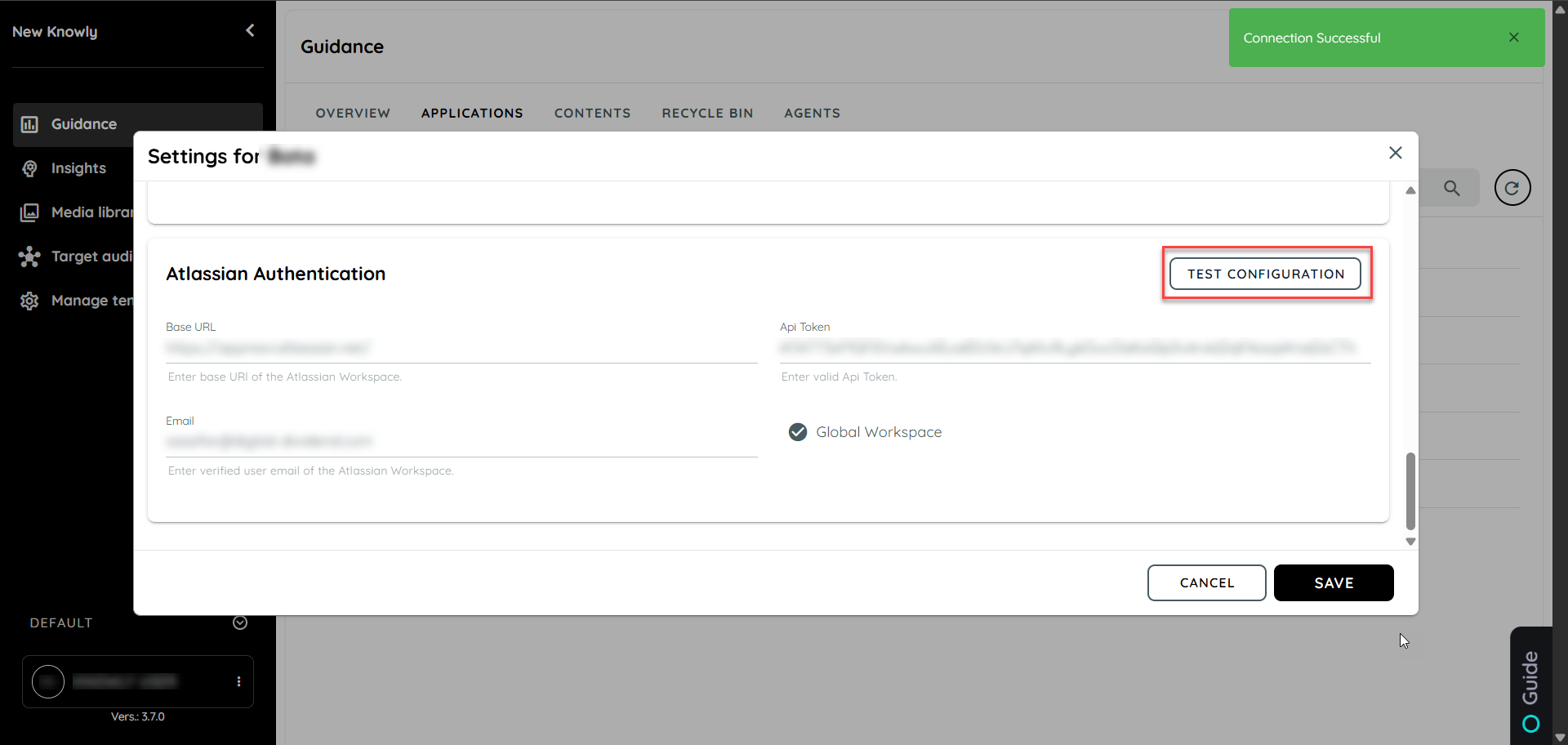
Successful Atlassian Integration
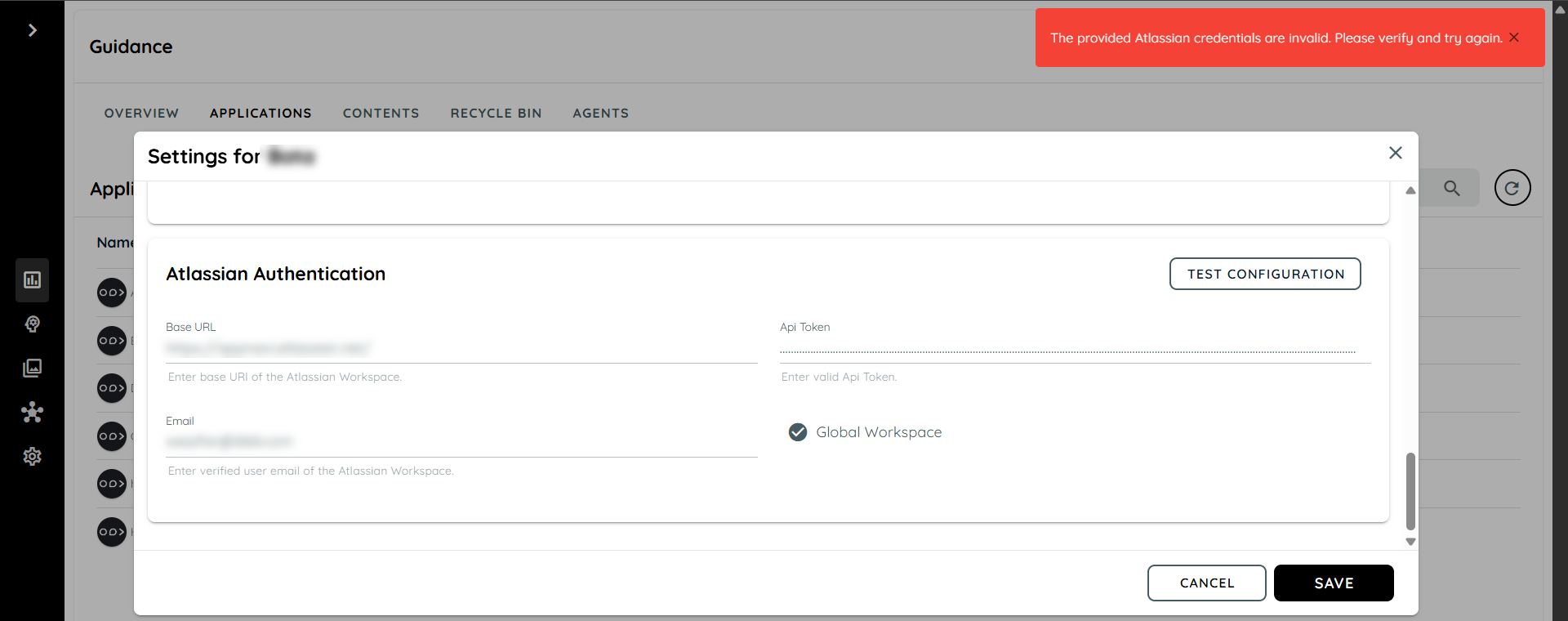
Failed Atlassian Integration
Users can make a selection for Global Workspace if needed which brings the whole library from the Atlassian to the knowly chat when anything is asked.
Manage Atlassian Content
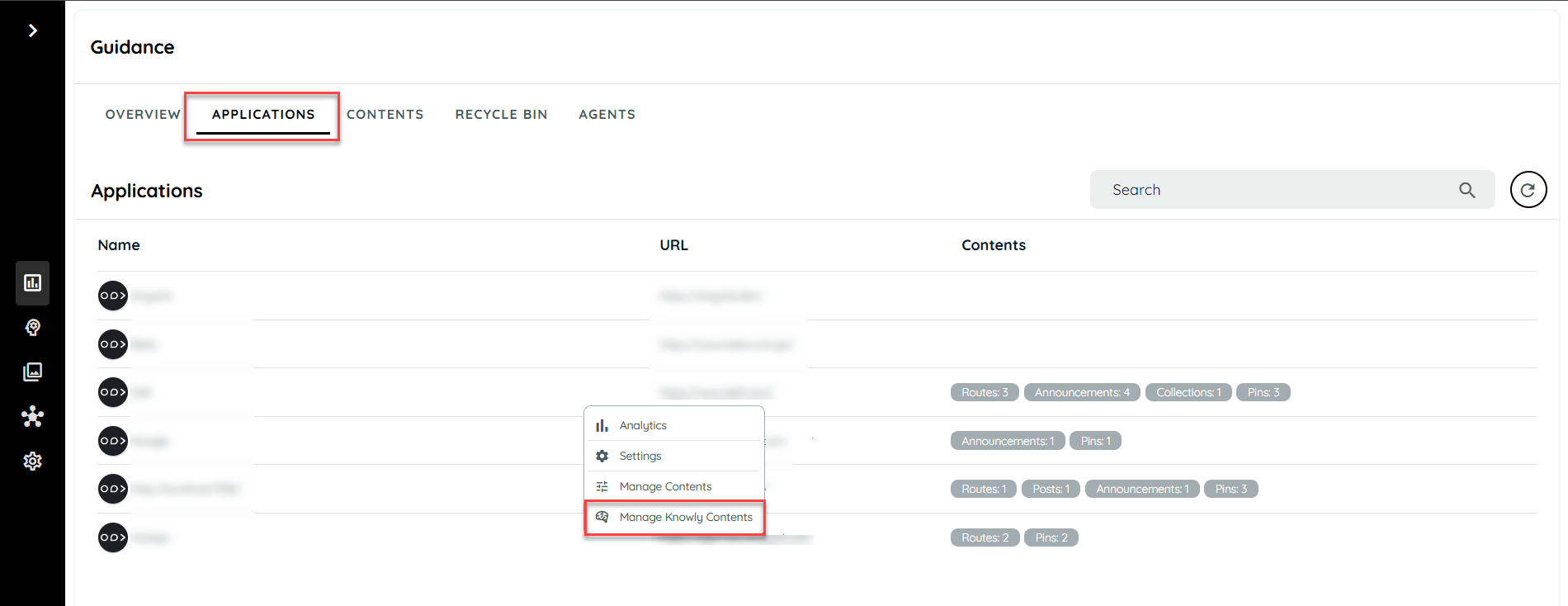
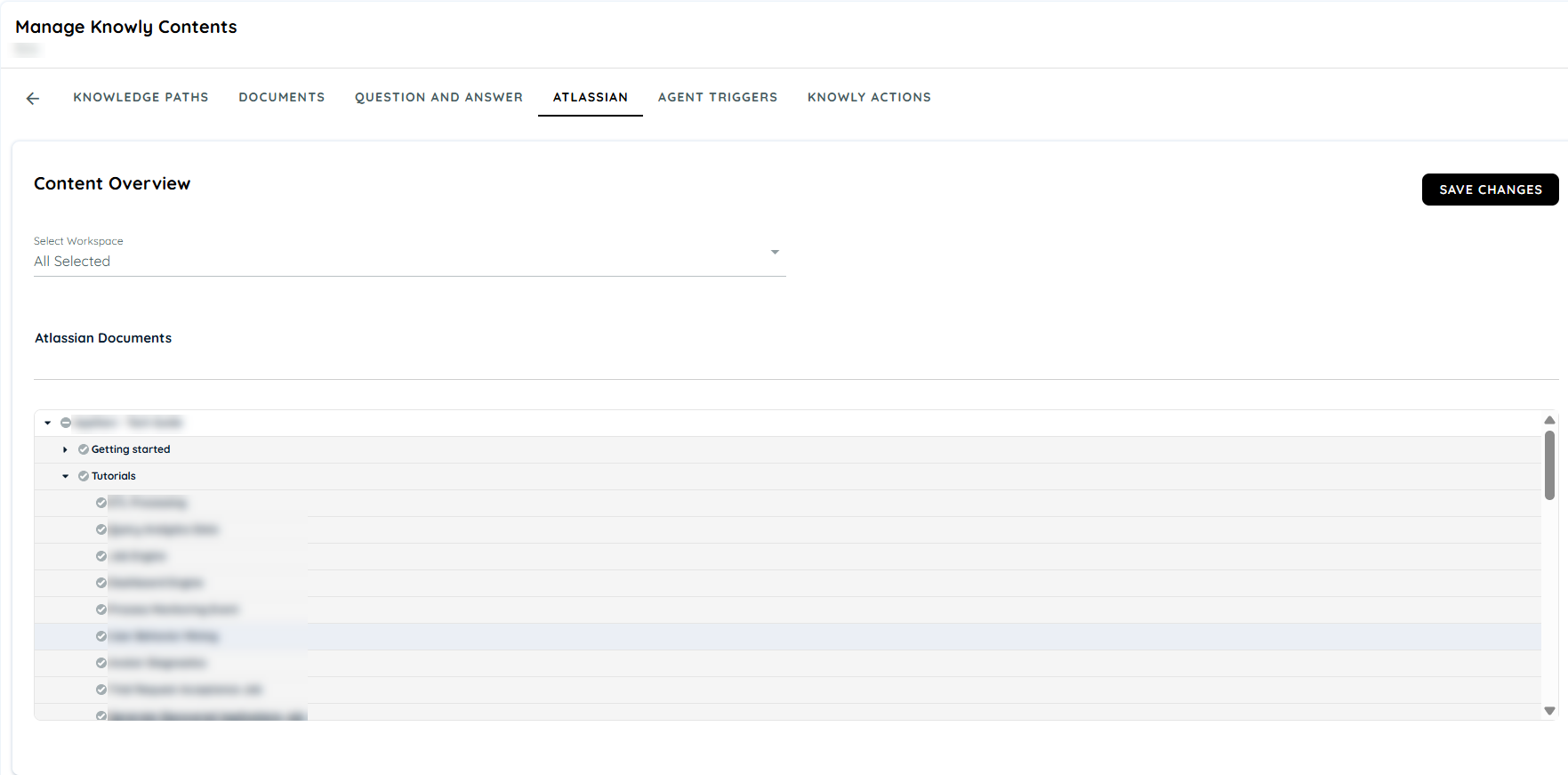
The users can manage the contents coming from Knowly chat by the manage Knowly contents. Users can select the work spaces appearing from Atlassian.
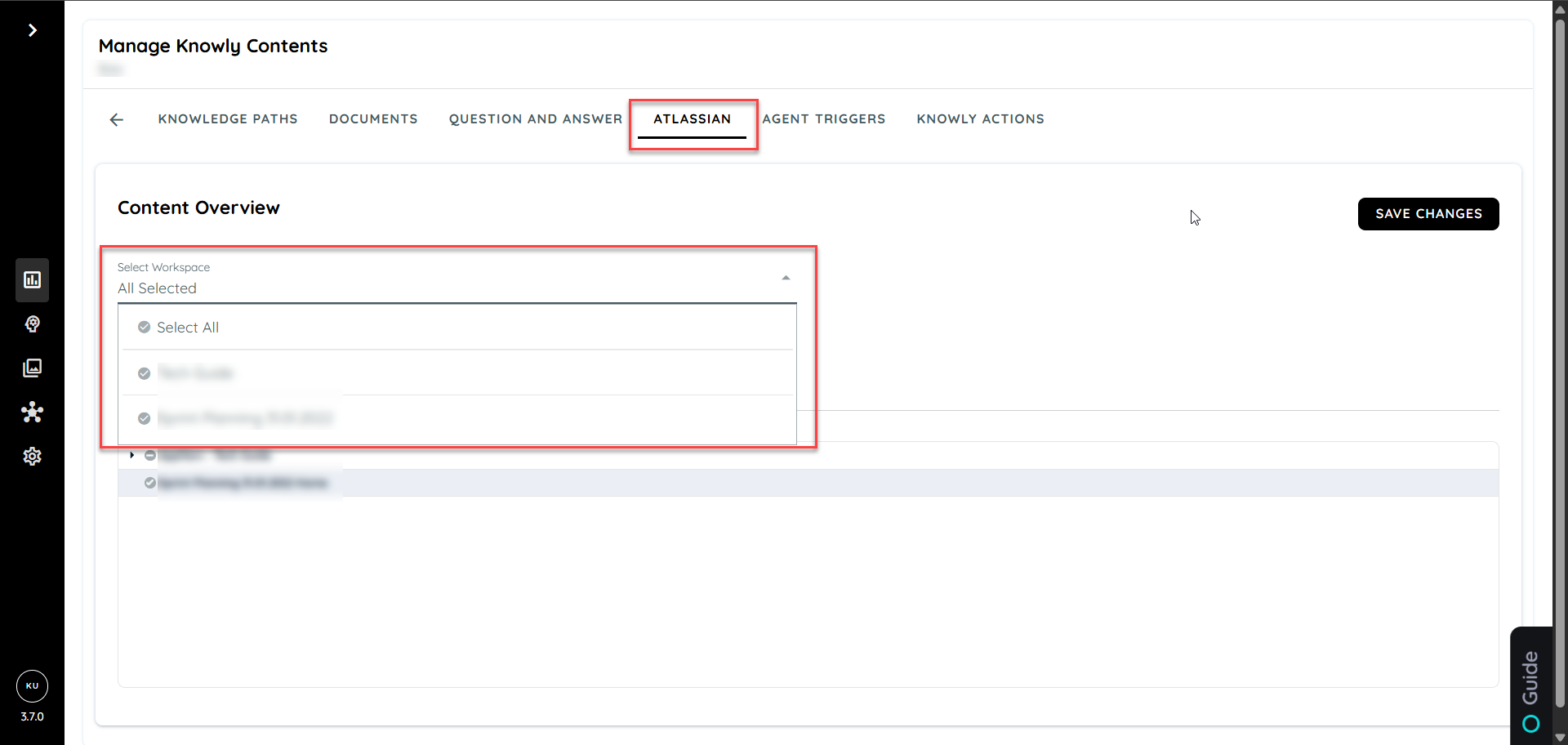
Users have the option to select the contents appearing in each workspace according to whole top level topics to individual low level pages.
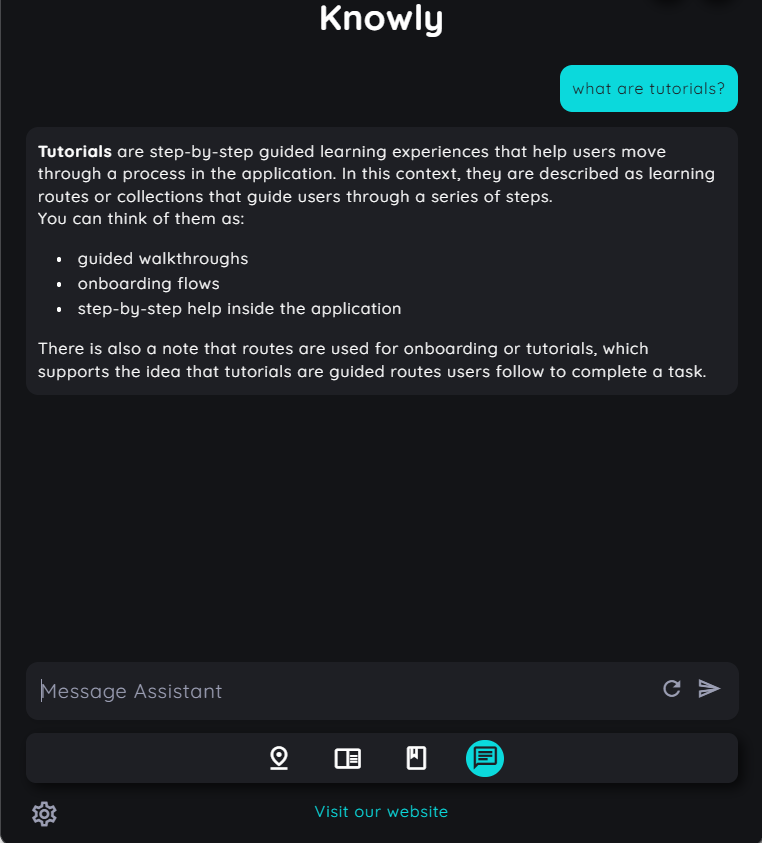
Atlassian Contents In Knowly Chat
The chat appears normal like the original Knowly chat but after integrating Atlassian the contents will also include data appearing from Atlassian. As we can see from the above example there is some data related to tutorials in the content overview selection. When user asks Knowly related to tutorials then tha chat will return data related to tutotials.
Updated 6 months ago