
AppNavi Data-URI Free CSP & Embedding Strategy
Overview: What is a Data-URI and Why Remove It?
Normally, when a website needs an icon, a flag, or a custom font, it downloads a separate file. However, using Data-URIs (Base64), these images and fonts are converted into a long string of text and placed directly inside the CSS code.
While this is great for loading speeds, extremely strict Content Security Policies (CSP) often block Data-URIs (using the data: rule) to prevent malicious code injection.
To support the strictest security environments, AppNavi now offers a "Data-URI Free" option using our new Embedding Strategy toggle!
How the "Embedding Strategy" Toggle Works
We have added a simple configuration switch in the AppNavi Portal at the Application level. This toggle controls exactly how AppNavi loads its visual assets.
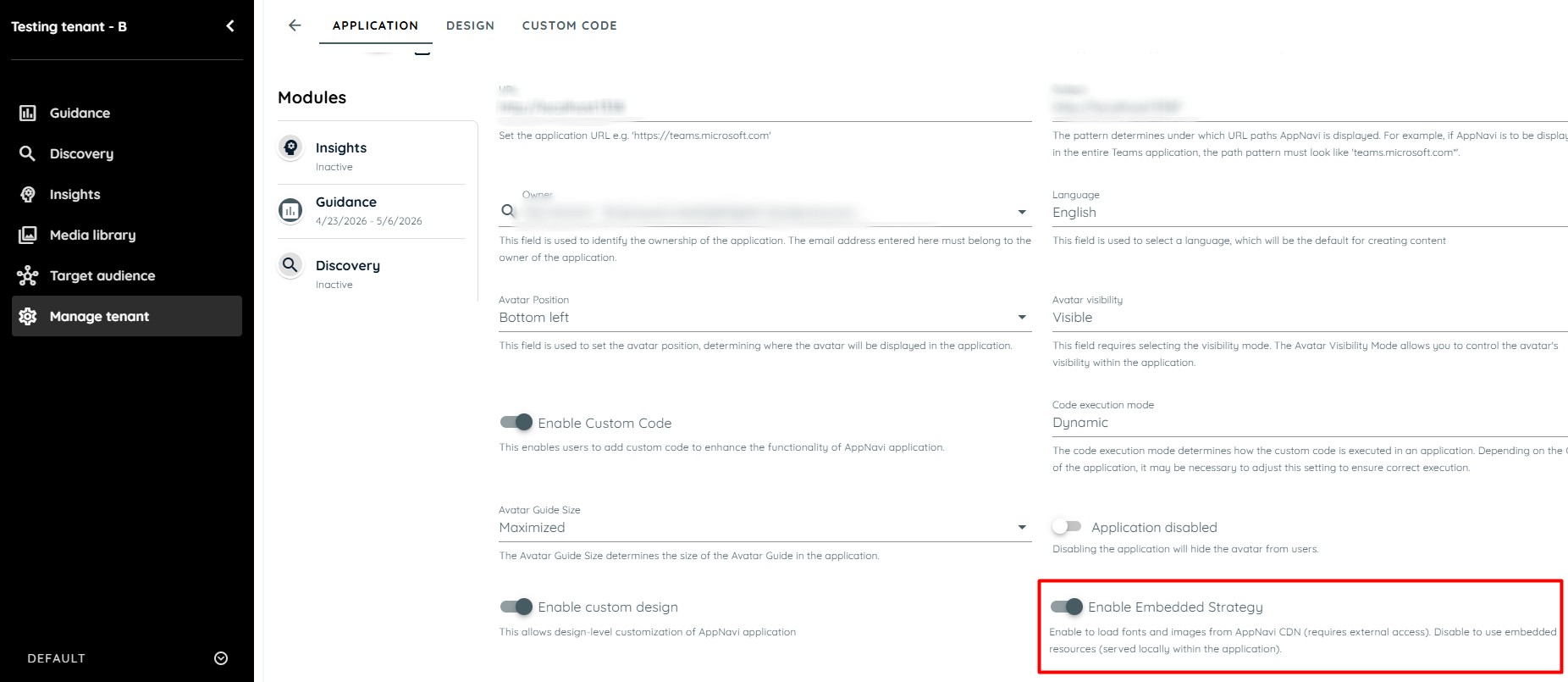
1. Embedding Strategy ON (Standard Base64 Mode)
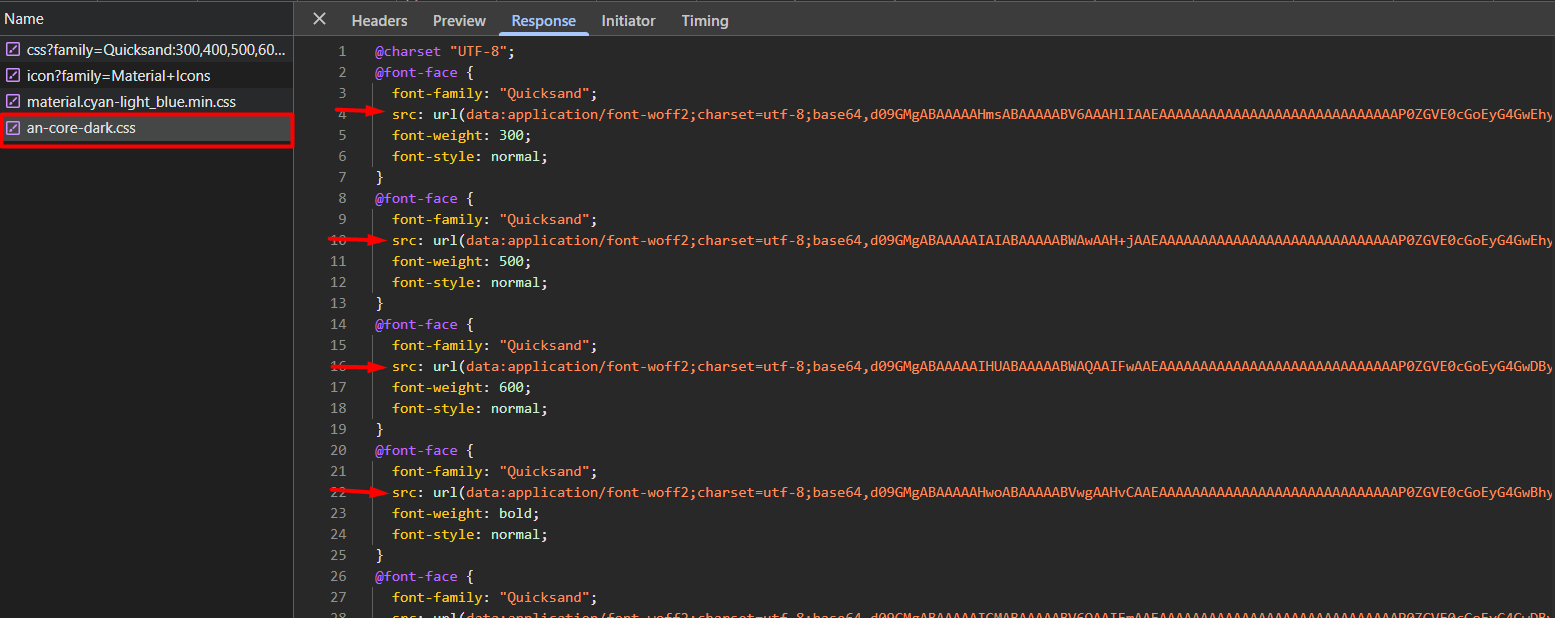
- What it does: The AppNavi loader fetches the standard
an-core-dark.cssfile. - How assets load: All fonts, images, and flags are loaded directly from inside the CSS using Base64 text (Data-URIs). This is the default behavior.
2. Embedding Strategy OFF (Data-URI Free / CDN Mode)
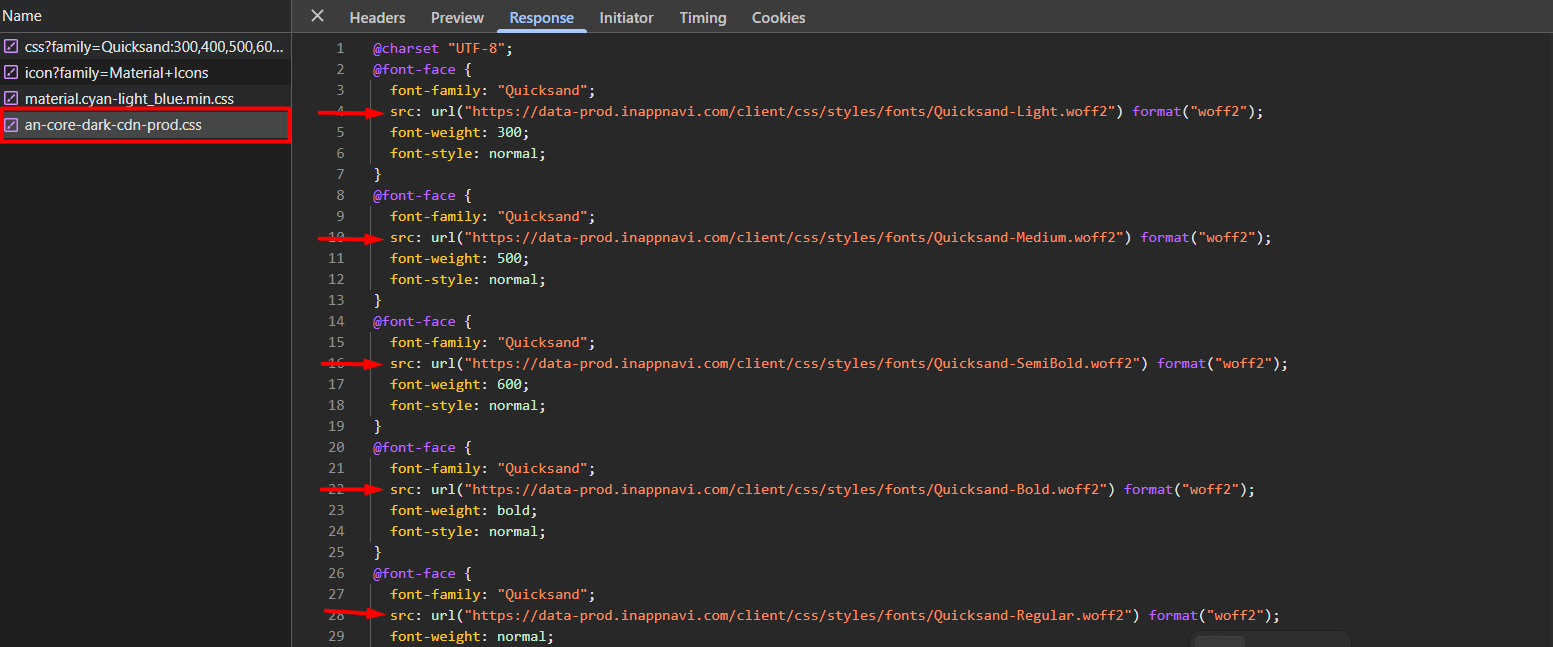
- What it does: The AppNavi loader dynamically detects your environment and loads an environment-specific CSS file (e.g.,
an-core-dark-embedded-prod.cssfor development, oran-core-dark-embedded-prod.cssfor production). - How assets load: Instead of using Base64 text, this CSS file uses standard URL references. All fonts and images are downloaded safely from the AppNavi CDN (e.g.,
data-prod.inappnavi.comorcdn-prod.inappnavi.com).
The "Data-URI Free" Strict CSP Template
If you turn the Embedding Strategy OFF, you no longer need to allow the data: directive for your fonts and images in your Content Security Policy!
Here is what your updated, Data-URI Free CSP should look like. Notice that data: has been completely removed from the img-src and font-src rules:
Content-Security-Policy:
  default-src 'none';
  script-src 'nonce-{{YOUR_NONCE}}' 'unsafe-eval' data-prod.inappnavi.com;
  style-src 'nonce-{{YOUR_NONCE}}' data-prod.inappnavi.com;
  object-src 'none';
  base-uri 'none';
  connect-src api-prod-eu-central-1.inappnavi.com data-prod.inappnavi.com;
  font-src data-prod.inappnavi.com;
  img-src data-prod.inappnavi.com;
  frame-src www.youtube.com;
Technical Summary for Developers
Under the hood, our CI/CD pipeline automatically generates two distinct CSS distributions during the build process:
- Base64 Included: Standard CSS containing embedded Data-URIs.
- CDN Referenced: CSS containing only secure URL references pointing to our AppNavi CDN.
When an-loader.js runs on the client's application, it checks the Portal configuration. If the Embedding Strategy is disabled (OFF), it automatically intercepts the default styling and fetches the CDN-referenced CSS file instead, ensuring total compliance with your strict CSP.
Updated 6 months ago