
Settings
This document explains all the configurable settings available in the Manage Tenant section of AppNavi. Each setting is grouped into logical sections with its purpose and usage.
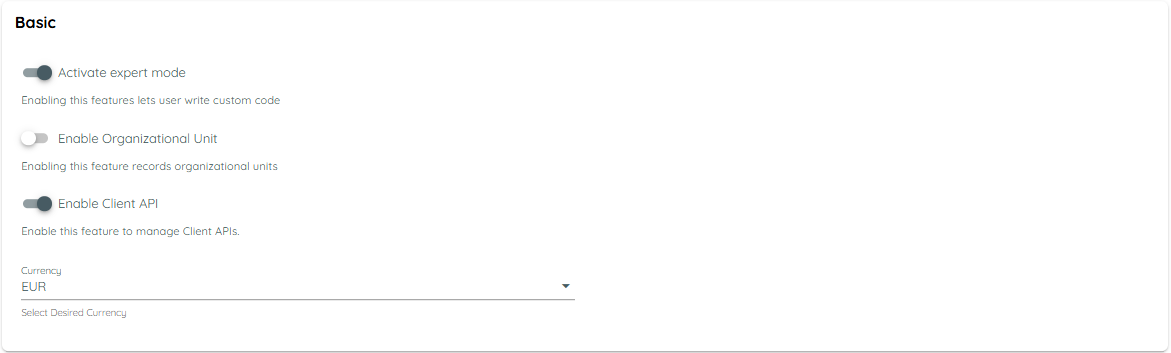
Basic Settings
Activate Expert Mode
- Enables users to write custom code within the application.
- Intended for advanced users who need additional customization.
Enable Organizational Unit
- Tracks organizational units for reporting and management purposes.
Enable Client API
- Allows configuration and management of Client APIs.
Currency
- Select your preferred currency for all financial or transactional features.
- Default: EUR
AI Settings
Enable AI Features
- Activates AI-powered functionalities across AppNavi, enhancing recommendations and automation.

Authentication Settings
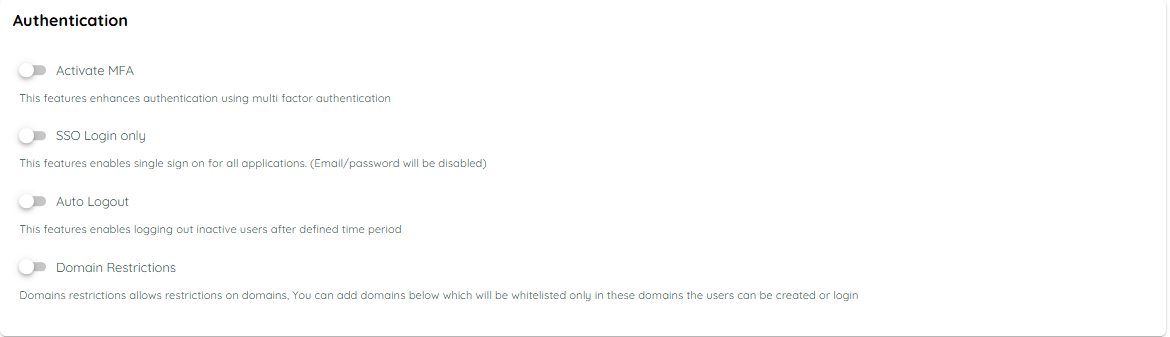
General Authentication
Activate MFA
- Adds multi-factor authentication for enhanced security during login.
Auto Logout
- Automatically logs out users after a specified period of inactivity.
Domain Restrictions
- Allows restricting login and user creation to specific domains only.
- Whitelisted domains can be added here.
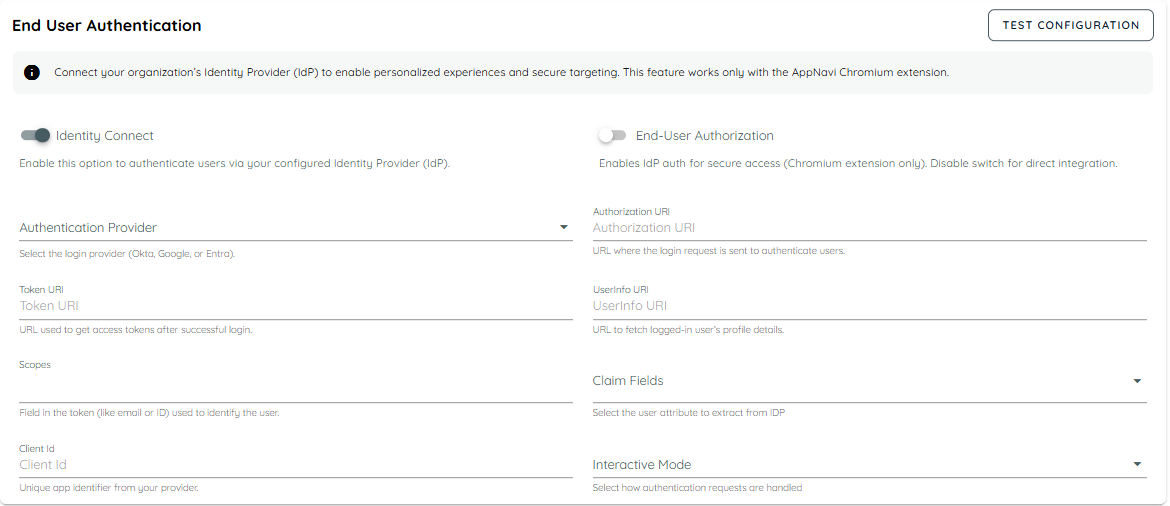
End-User Authentication (IdP)
Identity Connect
- Connect your organization's Identity Provider (IdP) for secure authentication.
- Works only with the AppNavi Chromium extension.
End-User Authorization
- Enables or disables IdP-based authentication for secure access.
Authentication Provider
- Choose the login provider (Okta, Google, Entra).
Authorization / Token / UserInfo URIs
- Enter URLs provided by your IdP for authentication requests, access tokens, and user profile data.
Scopes & Claim Fields
- Define which fields in the token identify users and which user attributes to extract.
Client Id & Interactive Mode
- Enter unique identifiers from your IdP and choose how authentication prompts are handled.
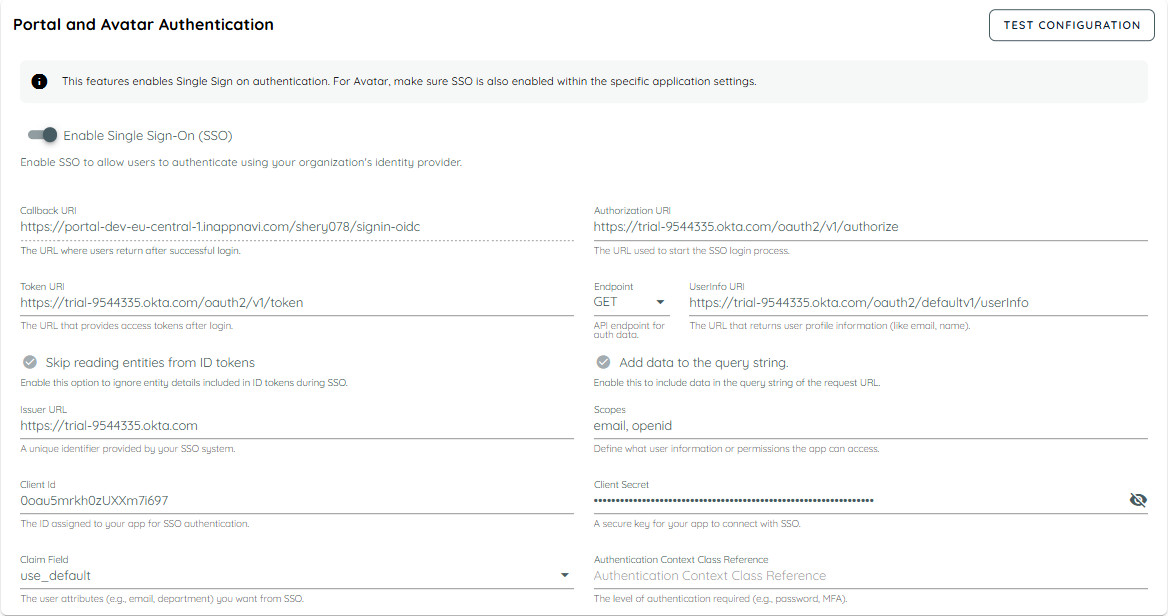
Portal & Avatar Authentication (SSO)
Enable Single Sign-On (SSO)
- Allows users to authenticate using your organization’s SSO.
Callback URI
- The URL where users are redirected after successful login.
Authorization / Token / UserInfo URIs
- URLs used to initiate login, retrieve tokens, and get user profile information.
Enable Query String / Ignore Entity Details
- Optional configurations for handling ID token data during SSO.
Issuer URL, Client Id, Client Secret
- SSO-specific identifiers and secure keys required for authentication.
Claim Field & Authentication Context Class Reference
- Define which user attributes to fetch from SSO and authentication level required (password, MFA, etc.).
Guidance Settings
Enable Content Import
- Adds the Content Import feature in the Guidance module.
Content Providers
- Select providers (e.g., WalkMe) from which content can be imported into the system.

Discovery Settings
Enable App Discovery
- Activates application discovery functionality within AppNavi.
Select Data Source
Choose the source of discovery data:
- Extension
- Defender API

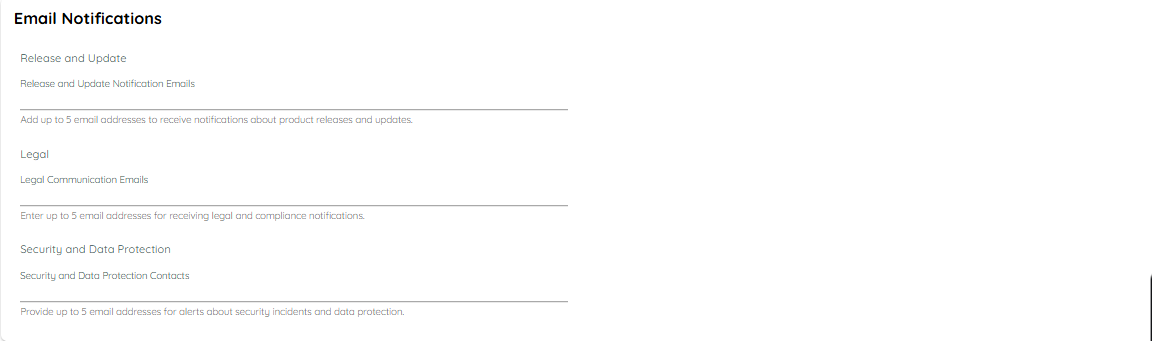
Email Notifications
Release and Update Notification Emails
- Enter up to 5 email addresses to receive notifications about product releases and updates.
Legal Communication Emails
- Enter up to 5 email addresses to receive legal and compliance notifications.
Security and Data Protection Contacts
- Enter up to 5 email addresses to receive alerts about security incidents and data protection issues.
Updated 9 months ago