
Knowly Content Management
This option manage all Knowly related content from a single, centralized location within the Portal, making it easier to organize, access and maintain Knowly resources.
To access Knowly Content Management:
- Open the Portal
- Go to the Application Context Menu
- Select Knowly Content Management
Structure of Knowly Content Management
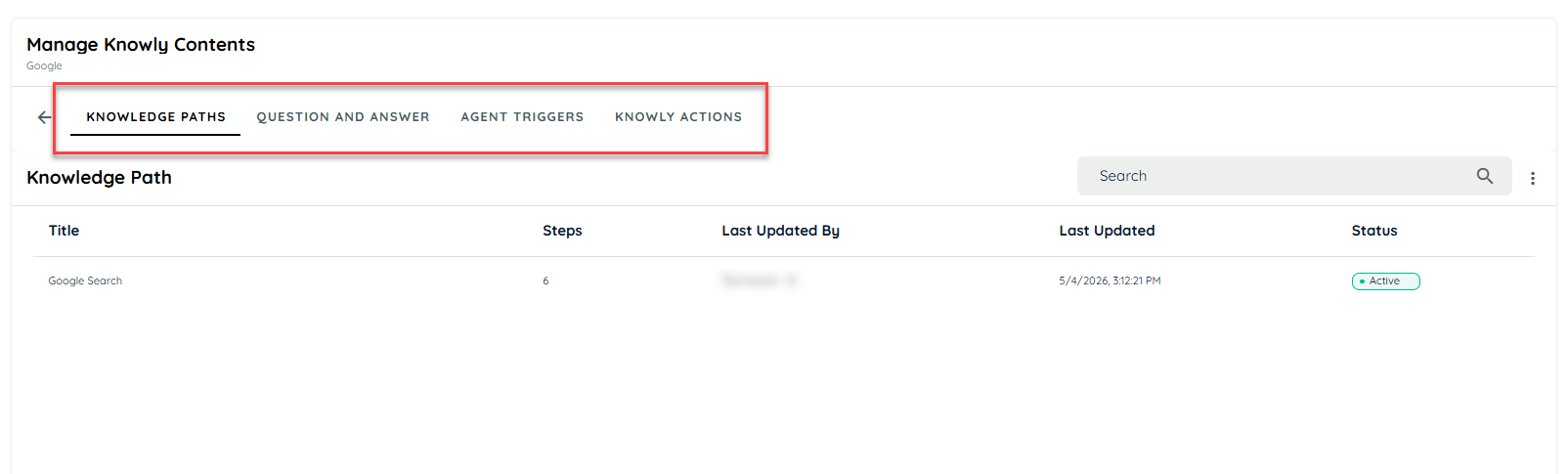
The Knowly Content Management section is composed of the following modules:
- Knowledge Paths
Used to define and manage workflow paths based on captured user interactions.
- Documents
Central repository for managing Knowly related documents, including reference material, guides and supporting content.
- Q&A
Manages question and answer pairs used by Knowly for intelligent responses and contextual support.
- Agent Triggers
Defines conditions or events that trigger Knowly agents to execute specific actions or workflows.
- Knowly Actions
Represents executable actions that Knowly can perform as part of automated or guided experiences.
Updated 6 months ago