
Magic Wand - Inline Chat
Overview
Magic Wand is an inline chat feature available within the Discovery module. It converts natural language instructions into actionable filters and table configurations. The feature enables intelligent, real-time interaction with Discovery data without manually adjusting multiple filters.
The chat icon is positioned below the Discovery filters and left-side of the search bar.
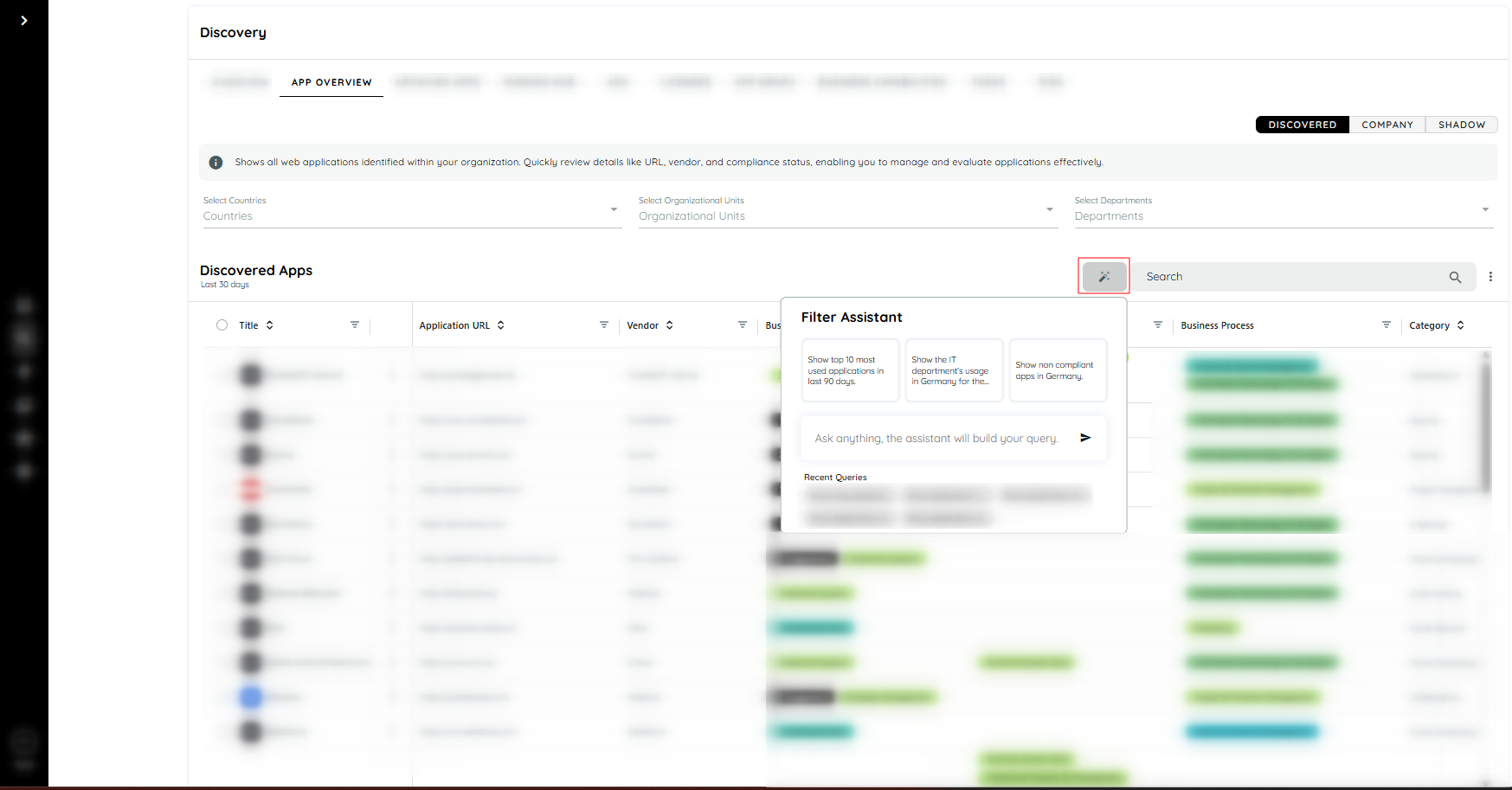
Magic Wand
Purpose
The Magic Wand feature is designed to:
- Simplify complex filtering actions
- Translate text-based instructions into structured Discovery filters
- Enable faster data exploration
- Improve usability of large datasets
- Provide intelligent table manipulation directly within the UI
Chat Functionality
- The Magic Wand icon appears below Discovery filters.
- Clicking the icon opens a chat dialog.
- Natural language instructions can be entered in the chat.
- Default prompts are available for quick selection.
- Custom prompts can also be provided.
- Instructions are automatically translated into Discovery filters.
- Filters are applied directly to the dataset.
- Table-related commands modify the visible columns or sorting behavior.
Steps:
- Navigate to the Discovery module.
- Click on App Overview.
- The list of discovered applications appears.
- Select a tile category: Discovered, Company, or Shadow.
- Click on the Magic Wand icon.
- The chat dialog opens.
- Select a default prompt or enter a custom instruction.
The system automatically applies the corresponding filters or table configuration.
Benefits
- Reduces manual filter configuration time
- Improves data exploration efficiency
- Enables quick sorting and column adjustments
- Supports complex filtering through simple text commands
- Enhances user productivity within Discovery
Example
Scenario:
A request is made to identify the highest usage applications in Germany.
Instruction entered:
“Show top 10 German applications sorted by users.”
Result:
- Country filter is set to Germany
- Applications are sorted by Users in descending order
- Top 10 entries are displayed automatically
The table updates instantly without manual filter configuration.
Updated 23 days ago
Did this page help you?